Over the years, I've built up a collection of professional notes and domain knowledge from my work — frameworks, research findings, product analysis, and hard-won experience. The problem: scattered notes are hard to use. Finding the right piece of knowledge at the right moment is slow, and raw notes alone aren't in a shape that AI can work with effectively.
I moved all of it into Obsidian and restructured it around Karpathy's LLM Wiki concept — a layer of organized, AI-maintained knowledge on top of raw notes, designed to be queried and applied, not just stored. The result is a "second brain": when I need to produce content, AI works directly from material I've already collected and generates sharing outlines and slide decks from it.
Showcase
1. Organize Notes in Obsidian
I've used a lot of note-taking tools over the years. Obsidian ended up being the right fit — it's local-file-based, stores everything as Markdown documents, and keeps images and PDFs on disk instead of relying on external links.
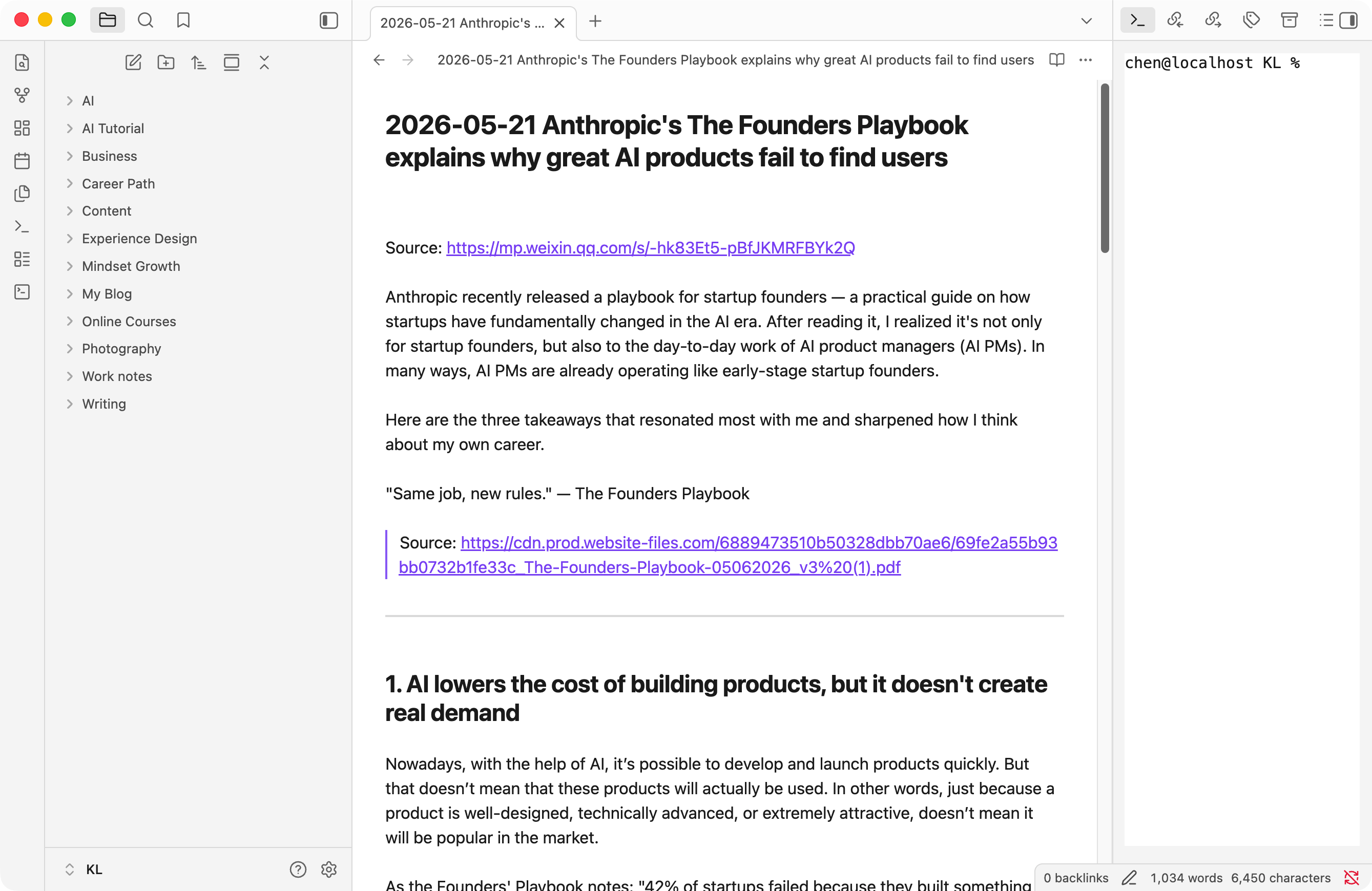
Before using AI tools inside Obsidian, two things need to be set up:
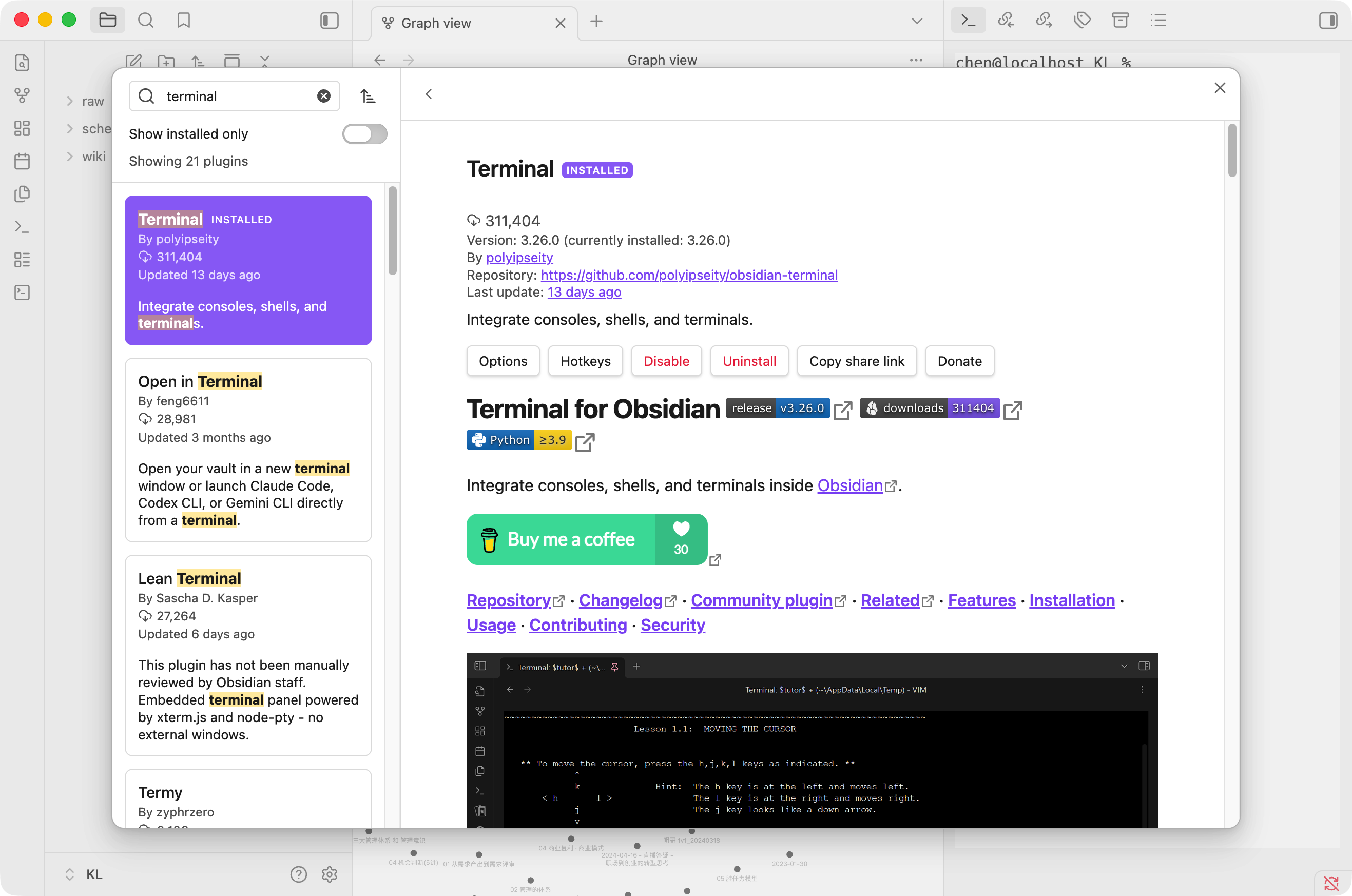
- Install the Terminal plugin in Obsidian. This lets you run a terminal session directly inside the workspace.
- Make sure the Codex CLI is already installed on your machine. Obsidian's terminal shares the same environment and file system as your system terminal, so any CLI tools installed there will be available here too.
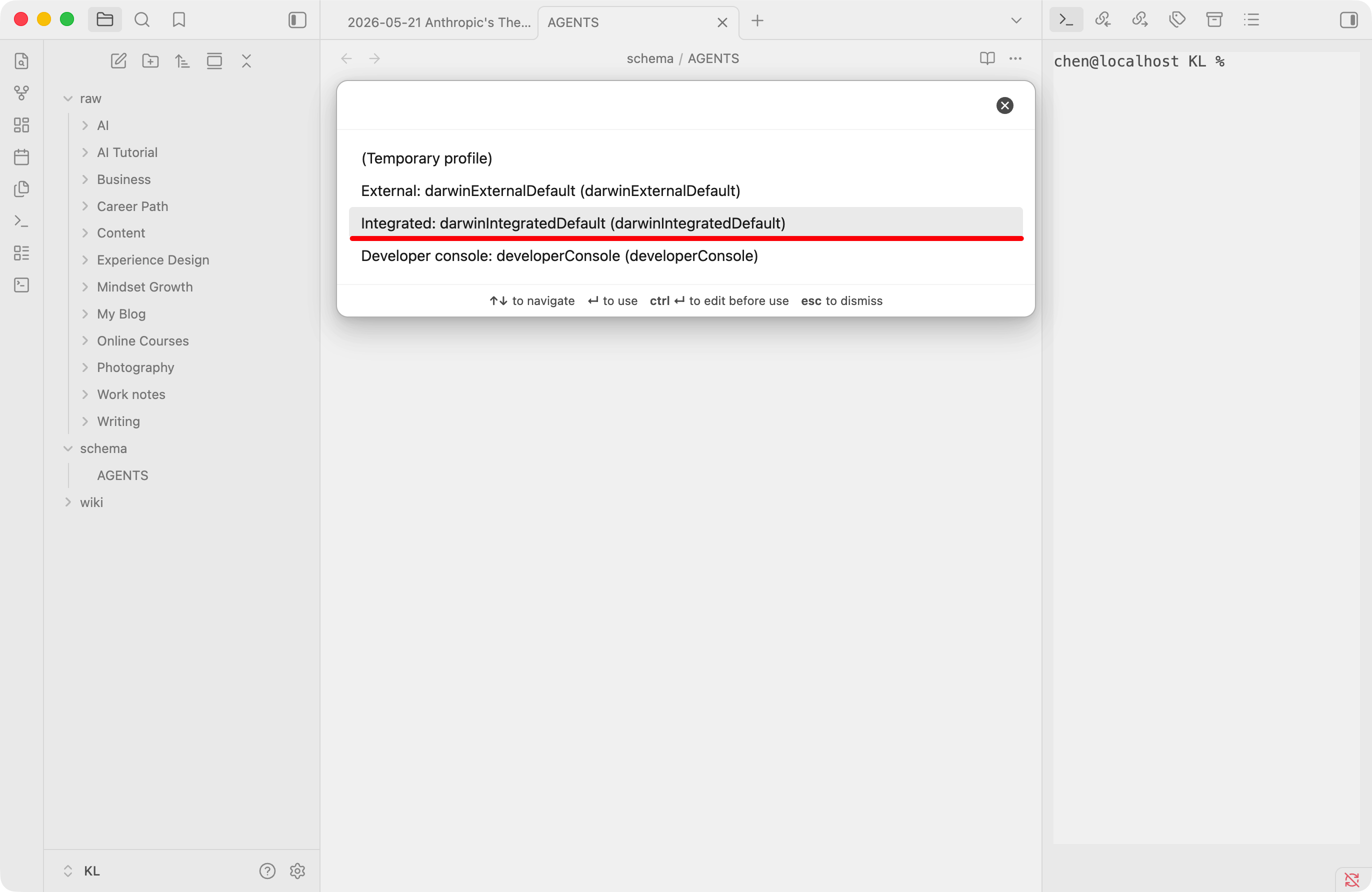
Once installed, open Terminal from the left sidebar, choose the Integrated option, and type codex to launch the AI tool.
2. Apply the LLM Wiki Concept
The LLM Wiki concept was proposed by Andrej Karpathy. I read through the full idea before putting it into practice.
The core difference from traditional RAG: instead of retrieving raw text fragments every time, the LLM continuously maintains a structured wiki — an organized layer built after understanding the semantics of the notes. Whenever notes are updated, AI reads and summarizes them, then updates the relevant wiki pages. Knowledge accumulates as reusable structured content, not just raw text.
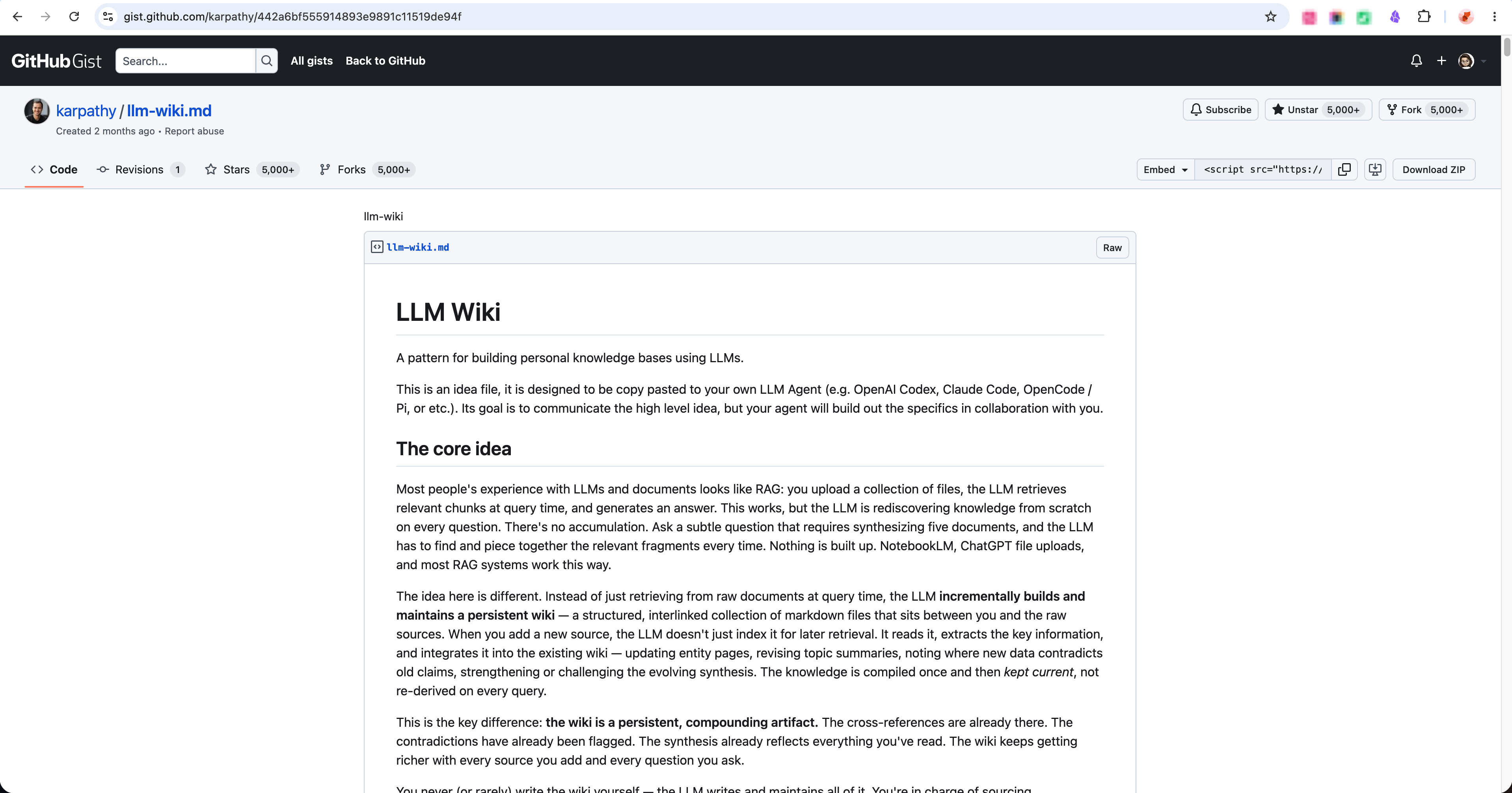
Source: https://gist.github.com/karpathy/442a6bf555914893e9891c11519de94f
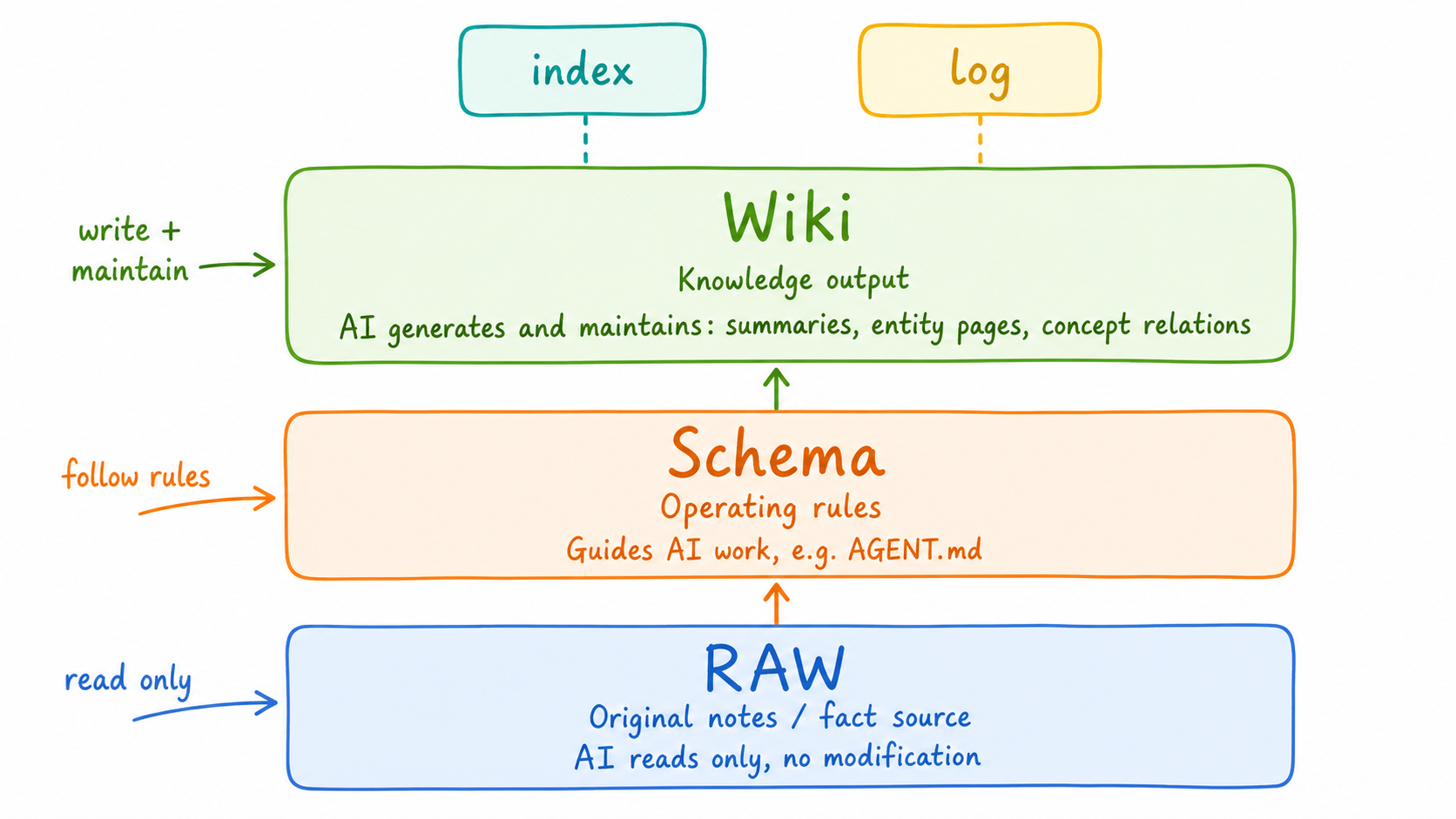
The architecture has three layers, each mapped to a folder inside Obsidian:
- RAW: My original notes. Codex can read this layer but should not modify it.
- Schema: The rules layer. I added an
AGENTS.mdfile here and asked Codex to write the organization rules into it. - Wiki: The knowledge summaries Codex extracts from RAW. I asked it to capture the key concepts and the relationships between them. This layer also includes two supporting documents:
indexfor content retrieval, andlogto track each operation.
When the knowledge library grows large, index-only retrieval gets slow. Karpathy recommends introducing local search tools such as QMD, and letting AI call them through MCP for more efficient search at scale.
2.1 Steps
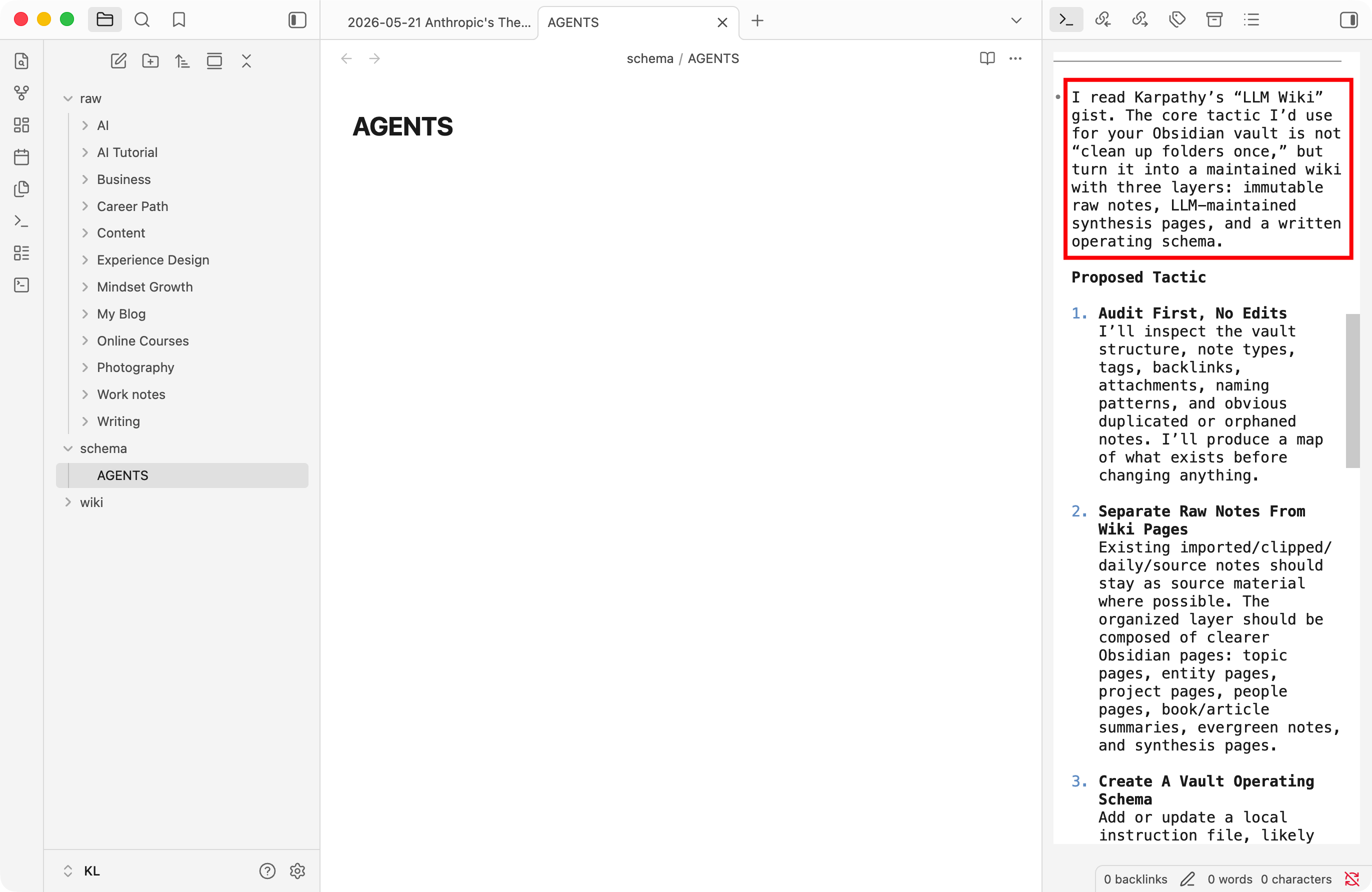
- Create the three folders at the root of the Obsidian vault, then move all note content into
RAW. - Create an
AGENTS.mdfile in the Schema folder. Codex will write the organization rules into it. - Open Codex in Terminal, then paste Karpathy's GitHub page link directly into the prompt. Ask it to study the full concept first and generate a strategy. Review the strategy, then ask Codex to execute.
- While Codex is running, open Graph View to inspect the concepts it extracts and the relationships between them. If something looks off, describe the adjustment directly to Codex.
- Codex automatically creates the Index document and logs each operation as it works.
2.2 Result
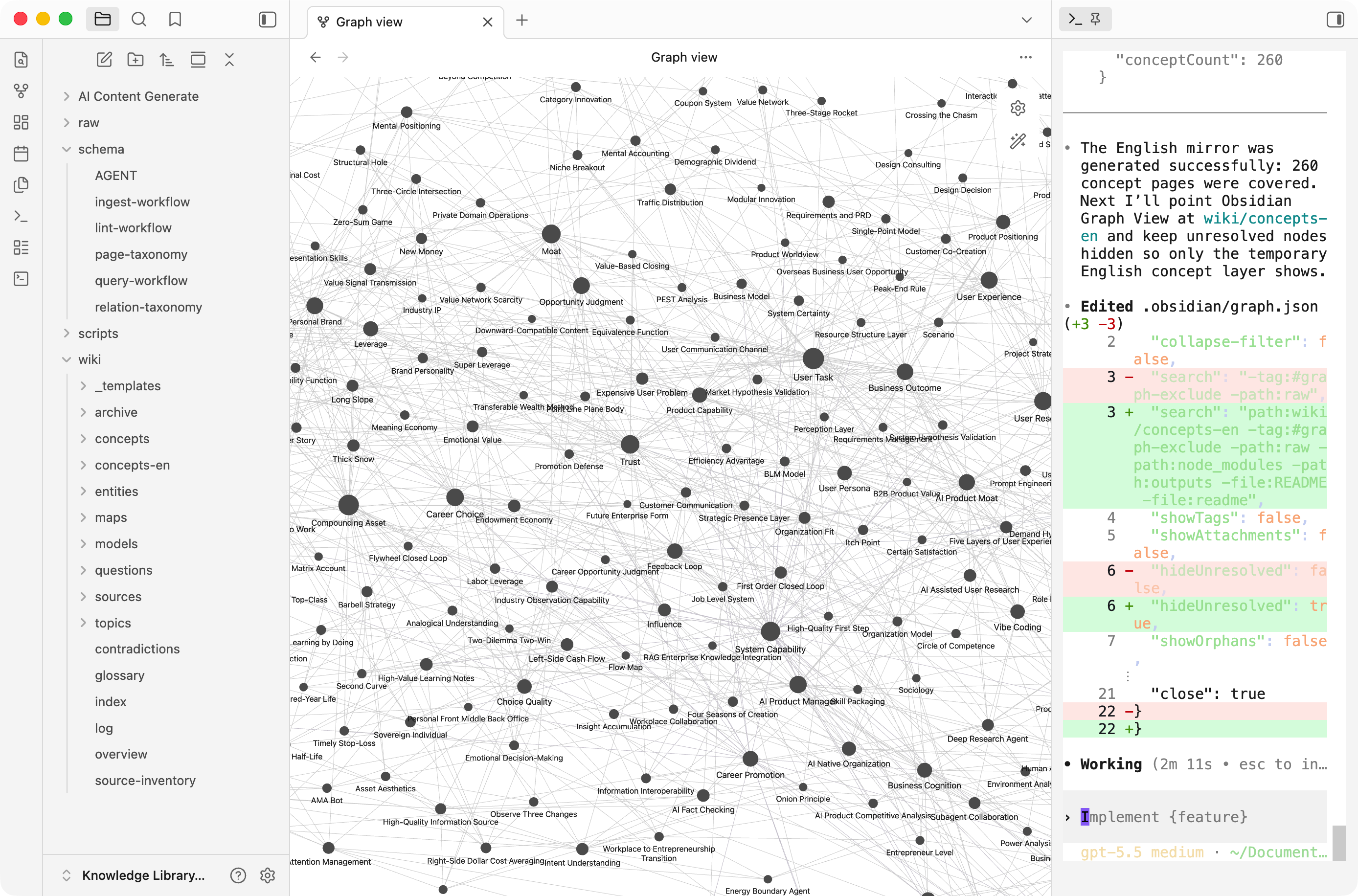
After organizing, Graph View shows a knowledge graph:
- Each circle represents a concept from the notes.
- Each connection represents a relationship between concepts.
- Circle size reflects the number of connections — the larger the circle, the more central that concept is.
The key concepts that emerged: AI product manager, product technical architecture selection, personal brand, content leverage, compounding assets, system capability, and user tasks. This is also an honest snapshot of what my notes are actually about.
3. Generate Content from the Knowledge Library
Organizing notes is only half the job. A knowledge library that just sits there has limited value — the real payoff comes from using it.
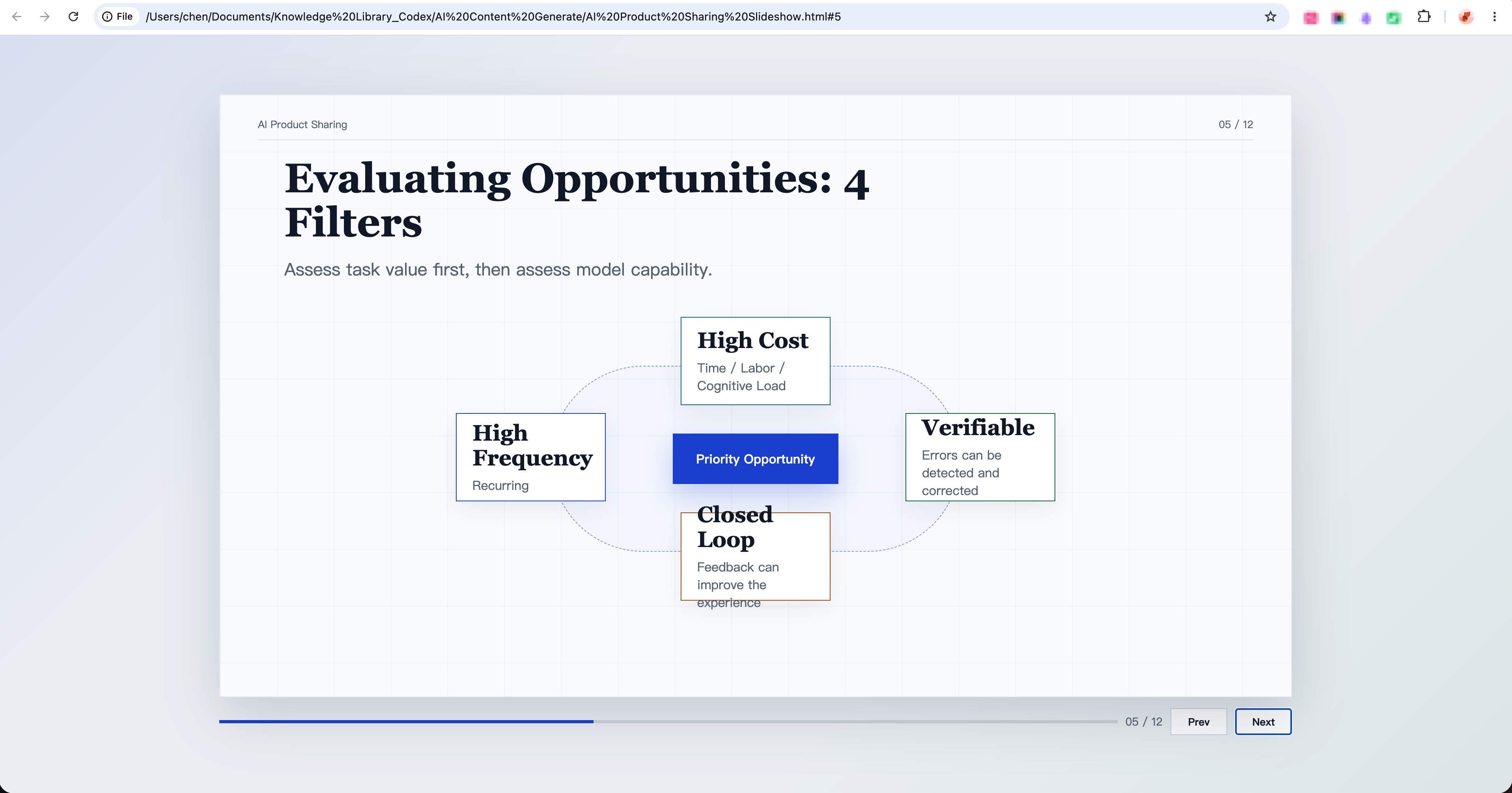
Here's a concrete example: when I needed to prepare an AI content-sharing session, I gave Codex the context and asked it to generate a sharing outline based on the content in my knowledge library. Once I confirmed the outline, I asked it to call the frontend skill and generate an HTML slide deck. Content and visuals done in one pass.
If anything needed adjusting, I gave Codex specific instructions. It handled revisions accurately in one run.
3.1 Keeping the Knowledge Library Current
After the sharing session, if the output turned out well, I put the generated slide deck back into Obsidian as new note content — the knowledge library feeds the output, and the output feeds back into the knowledge library.
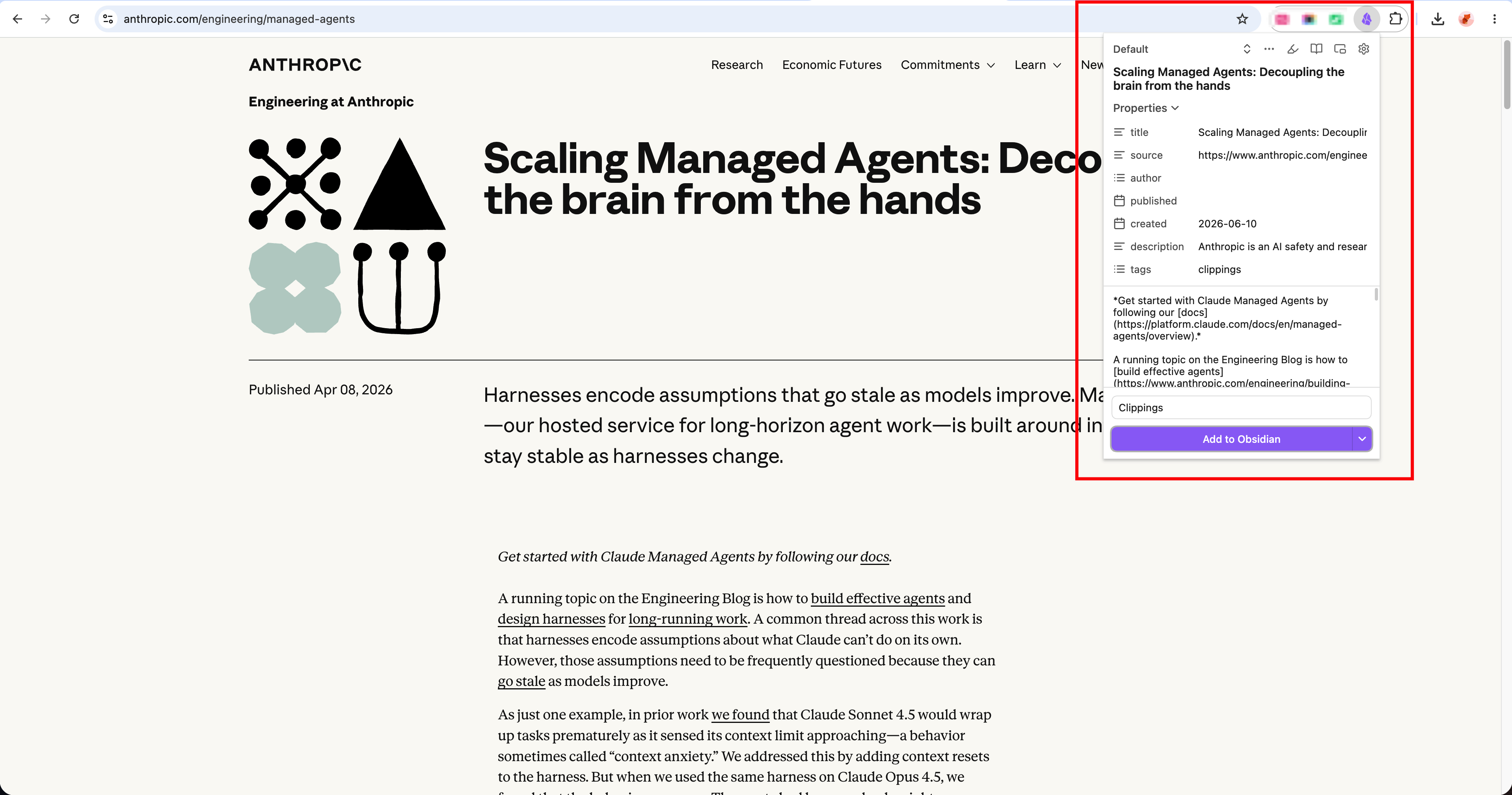
I also started using Obsidian's Web Clipper browser extension to pull high-value content from web pages directly into Obsidian, where it becomes collected material ready for the next ingest cycle.
4. Retrospective
4.1 Categorize Notes by Topics, Not the Sources
When I first organized my notes, I classified them by sources — online courses in one place, books in another. When I asked Codex to review the content, it reorganized everything into five topics, which immediately inspired me.
The goal of collecting notes is to deepen expertise in a specific domain and find better ways to apply it. Organizing by topic serves that goal — and when searching later, Codex can retrieve from a focused folder instead of scanning everything.
4.2 Build a "Second Brain", Not an Information Archive
AI has been trained on information from the internet, but it doesn't know my own insights. The value of this knowledge library is that it captures what I actually think — frameworks I've tested, judgments I've formed, patterns I've noticed. Used well, it compounds into a real "second brain" rather than just a note archive.
The more I use it, the better it gets. Each application surfaces gaps and helps calibrate the content.
4.3 Input Quality Determines Output Quality
The notes are the foundation for everything Codex builds on top. Shallow thoughts and outdated notes should be archived or deleted regularly. The library only works if what's inside is worth working with.
With this foundation in place, I can keep adding and iterating. The LLM Wiki architecture makes the knowledge library more valuable with every update — and that compounding effect is the whole point.