Most people think about AI agents one at a time. The more interesting question is what happens when you define several of them — each with a specific role, a clear scope, and a system that makes them work together instead of in isolation.
This tutorial explores exactly that: three Claude Code Subagents playing the roles of PM, designer, and developer — each with its own prompt and its own responsibilities. The goal isn't just to automate tasks. It's to see whether a well-defined agent system can replicate how a real product team actually works.
Showcase
1. Subagents Introduction
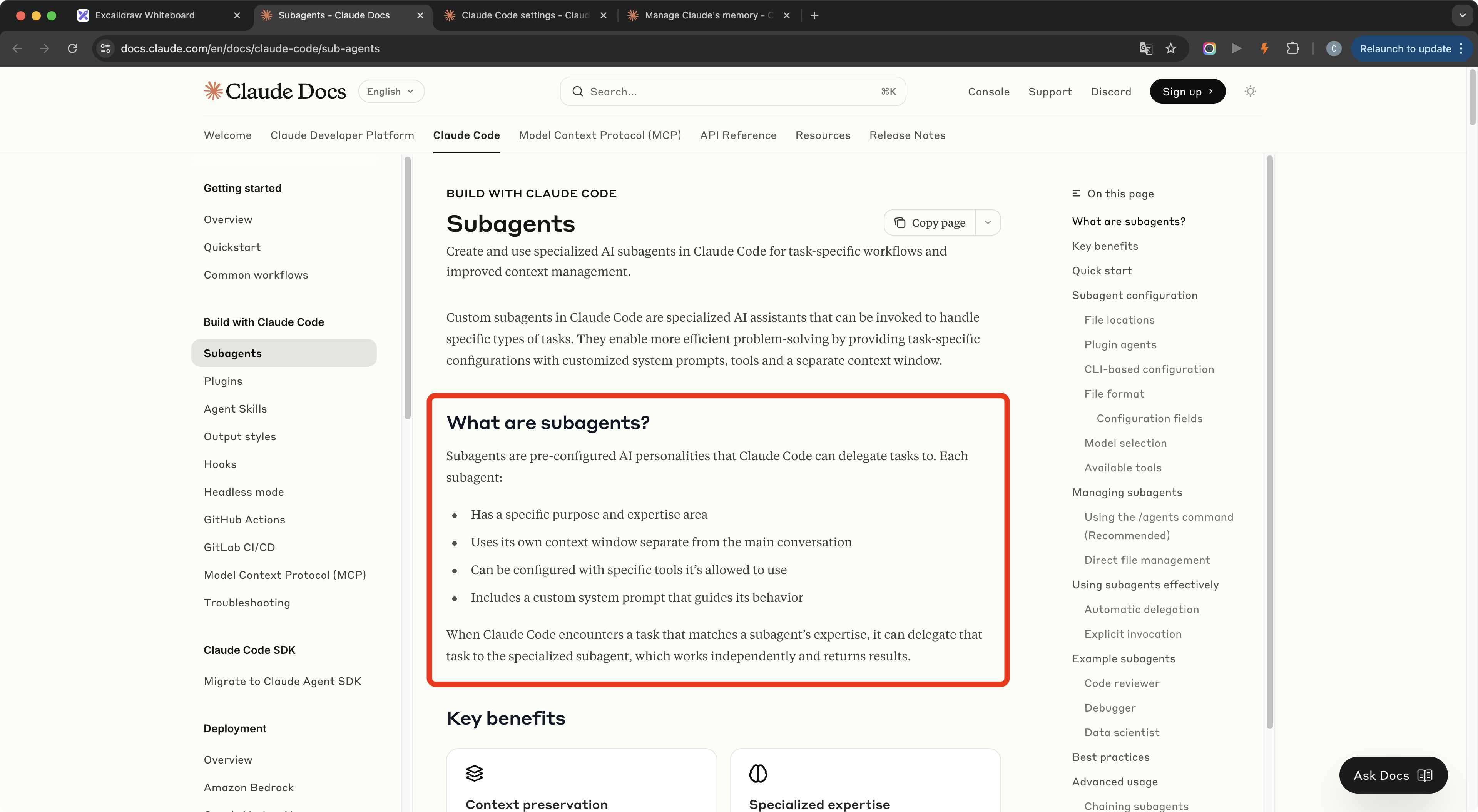
Subagents are specialized AI roles you define inside Claude Code. Each one has its own system prompt, its own scope of work, and its own context — so they don't bleed into each other the way a single long conversation does.
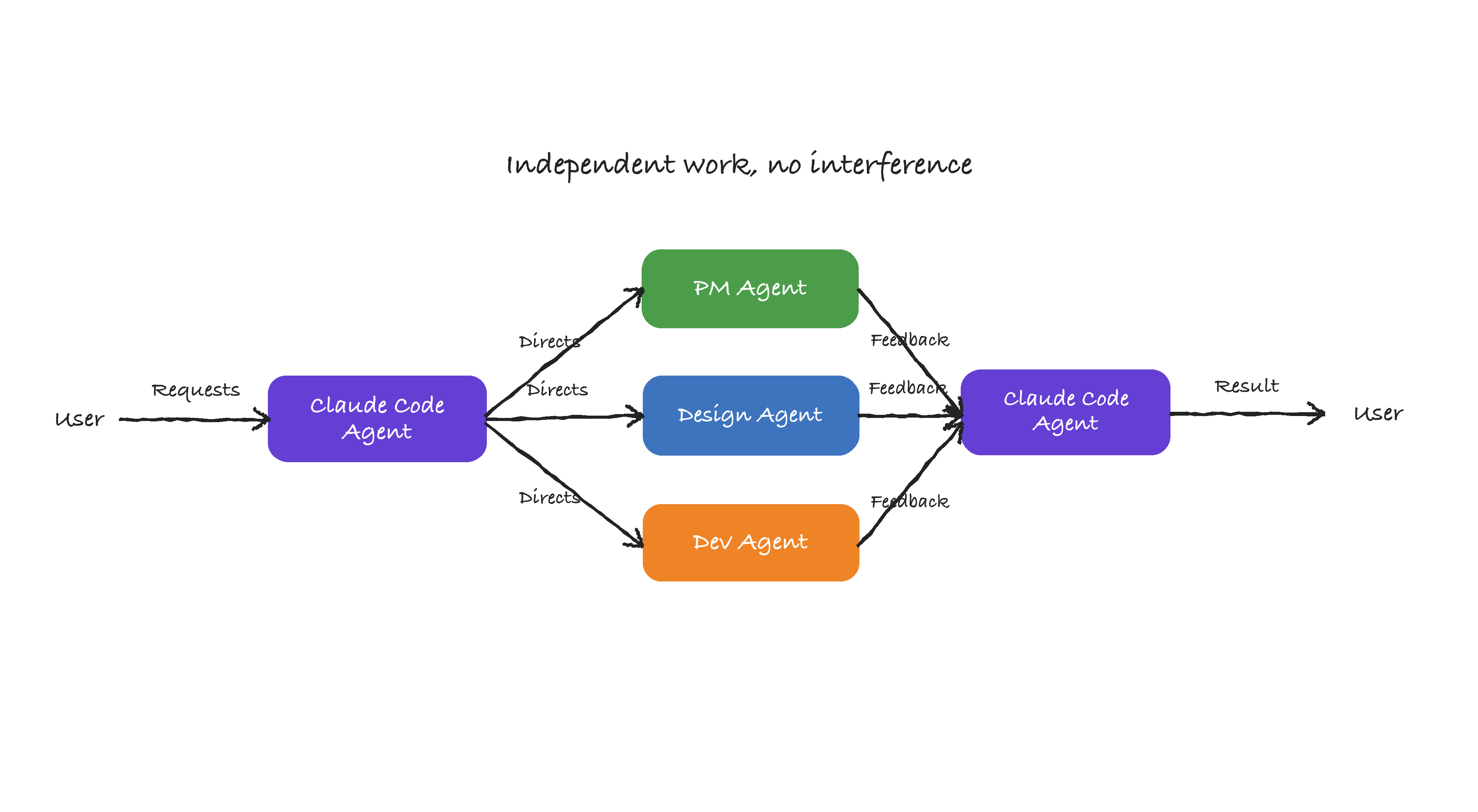
The working flow is straightforward:
- You describe the requirement.
- Claude Code, as the main agent, decides which Subagent to call.
- The Subagent works independently.
- The Subagent returns its result.
- Claude Code integrates the result and delivers it back to you.
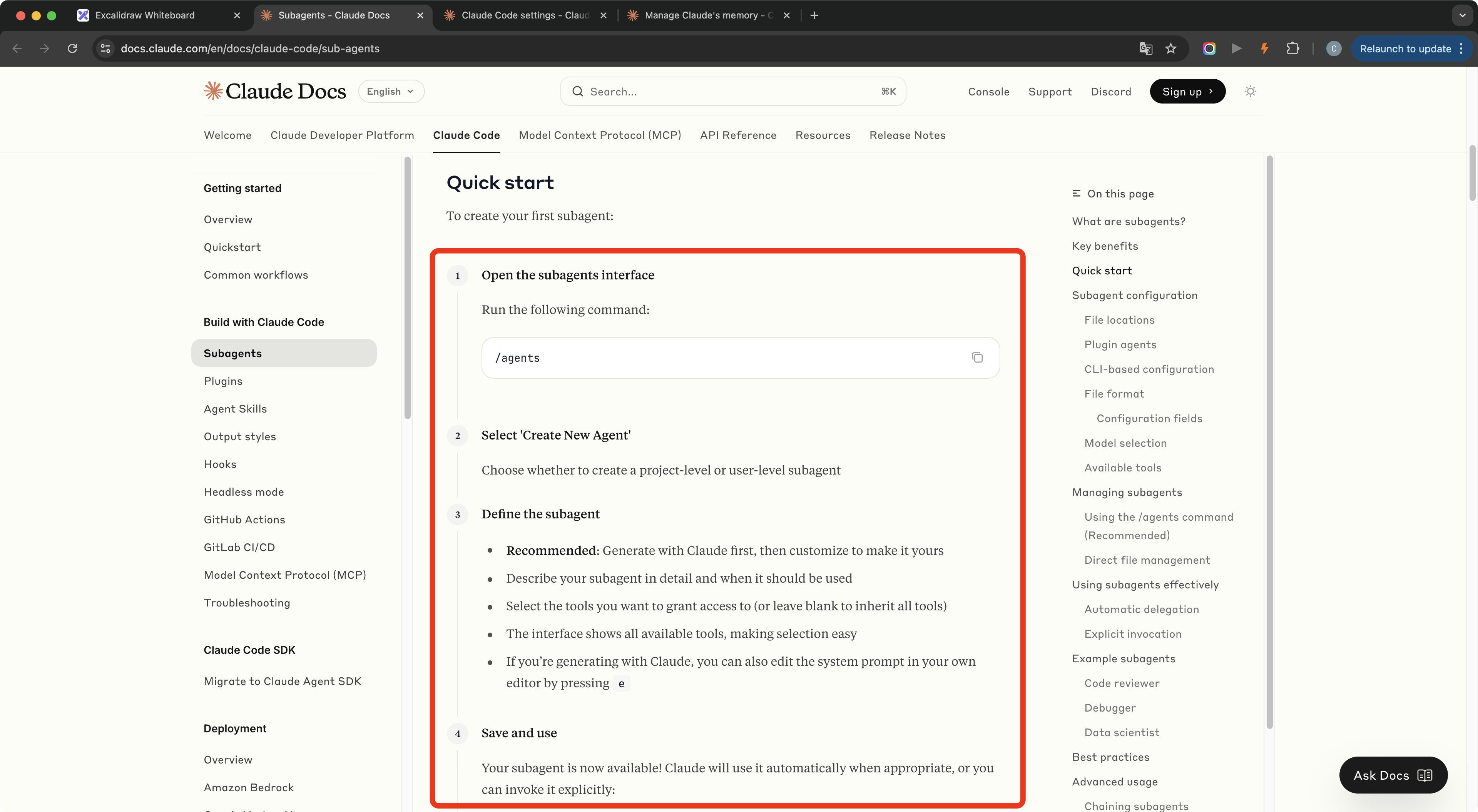
To set one up, write a system prompt for the role, assign any tools it needs, and define what it's responsible for and what it should output. If you haven't used Subagents before, the official Claude Code Subagents guide is the right place to start.
2. Define the Team Structure
Before creating any agent, decide how the three roles should cooperate — structure the team first, then build it.
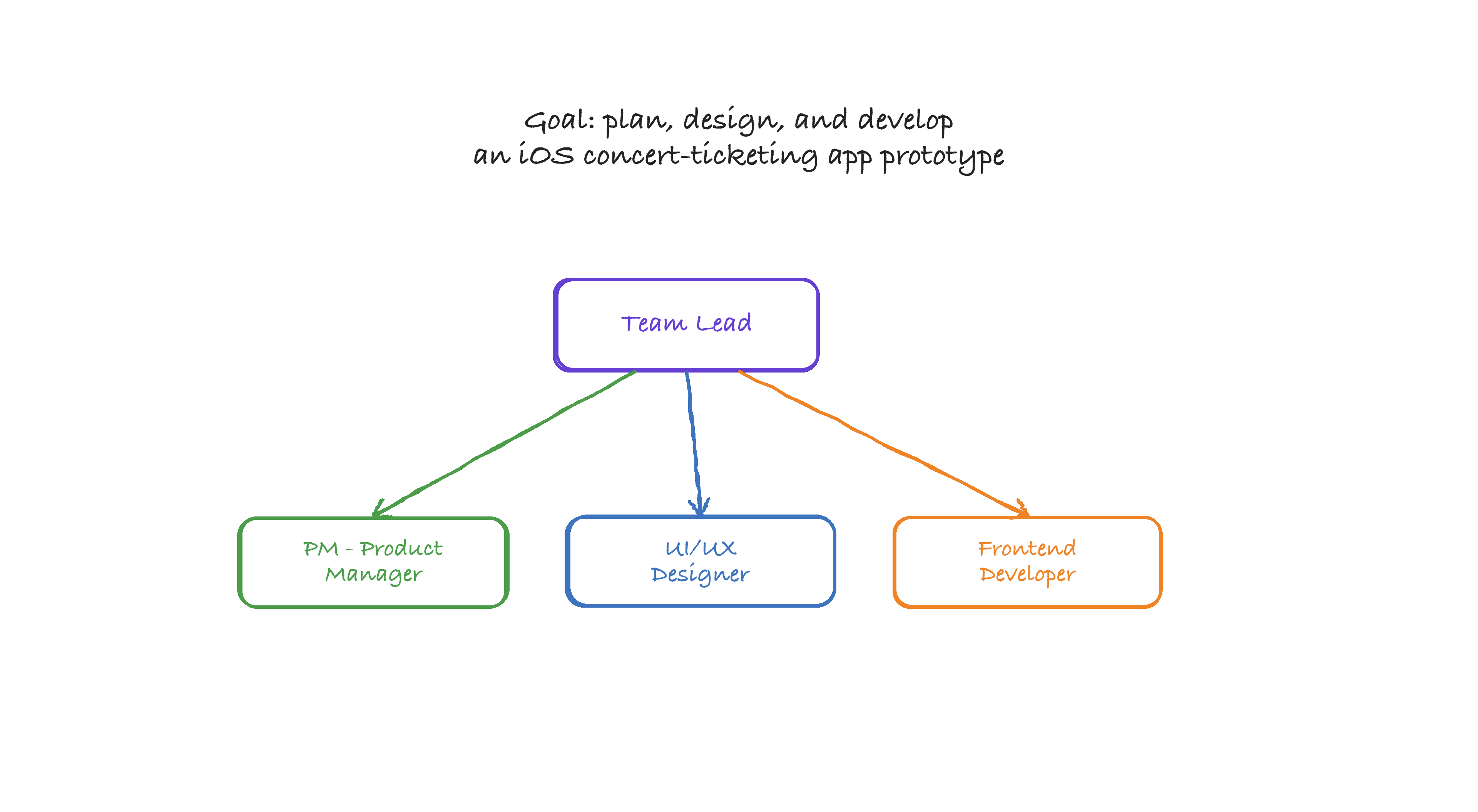
The role split is:
- Product manager: understand the requirement, break down the feature scope, and output a PRD.
- Designer: read the PRD, define the design direction, and output a design specification.
- Frontend developer: read the PRD and design specification, write the code, and output a runnable prototype.
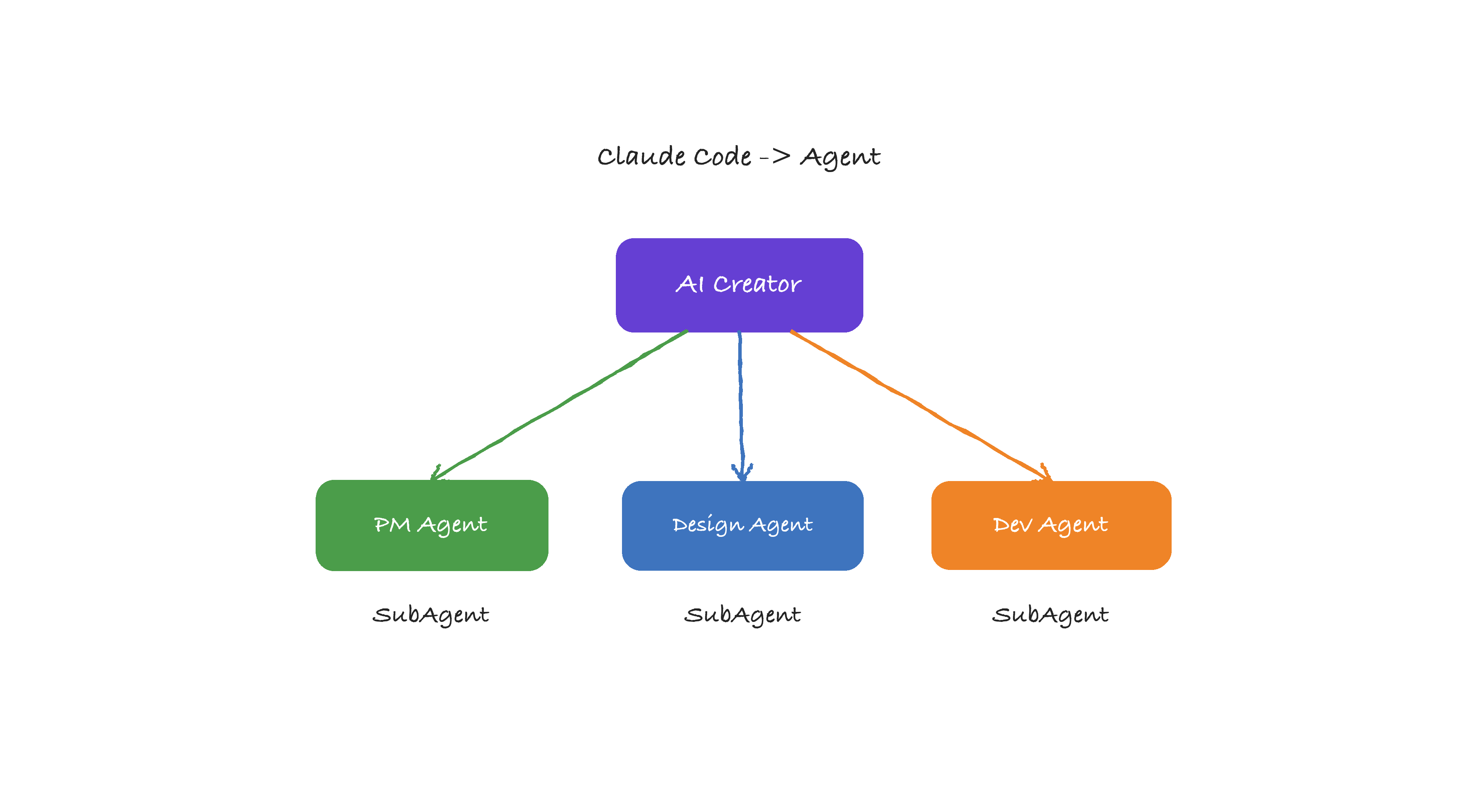
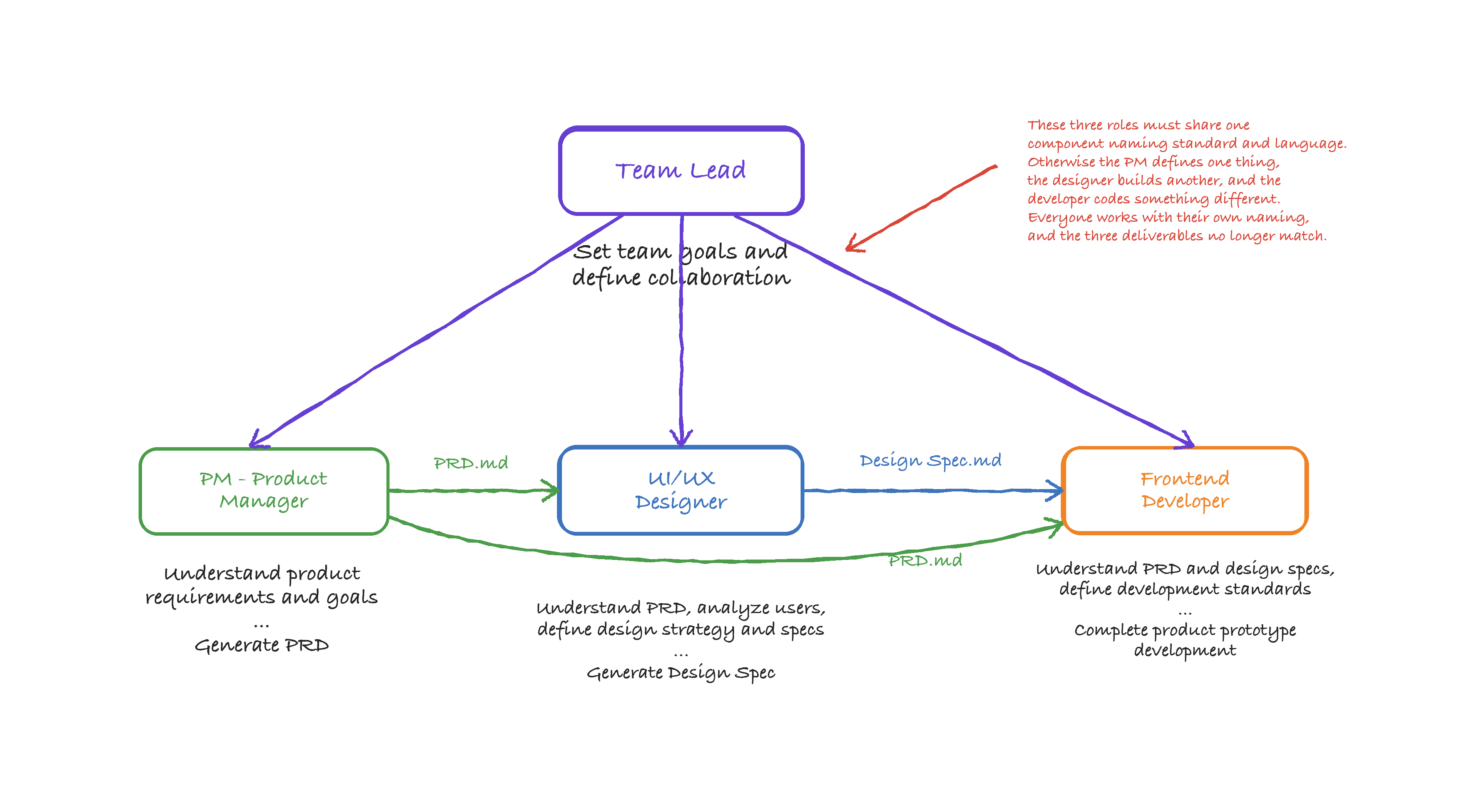
Three rules that make the collaboration work:
- Use the same names everywhere. If the PM calls something “bottom navigation,” the designer and developer must use the exact same term — not “bottom tab bar” or
TabBar. Inconsistent naming is the fastest way to break the handoff. - Work in order. PM finishes the PRD first. Designer works from the PRD. Developer builds from both.
- Share documents. The PRD must be visible to everyone. If the designer and developer are working from different understandings of the product, the output will show it.
These rules need to be written into the prompts before work starts — Subagents can't sort it out on their own.
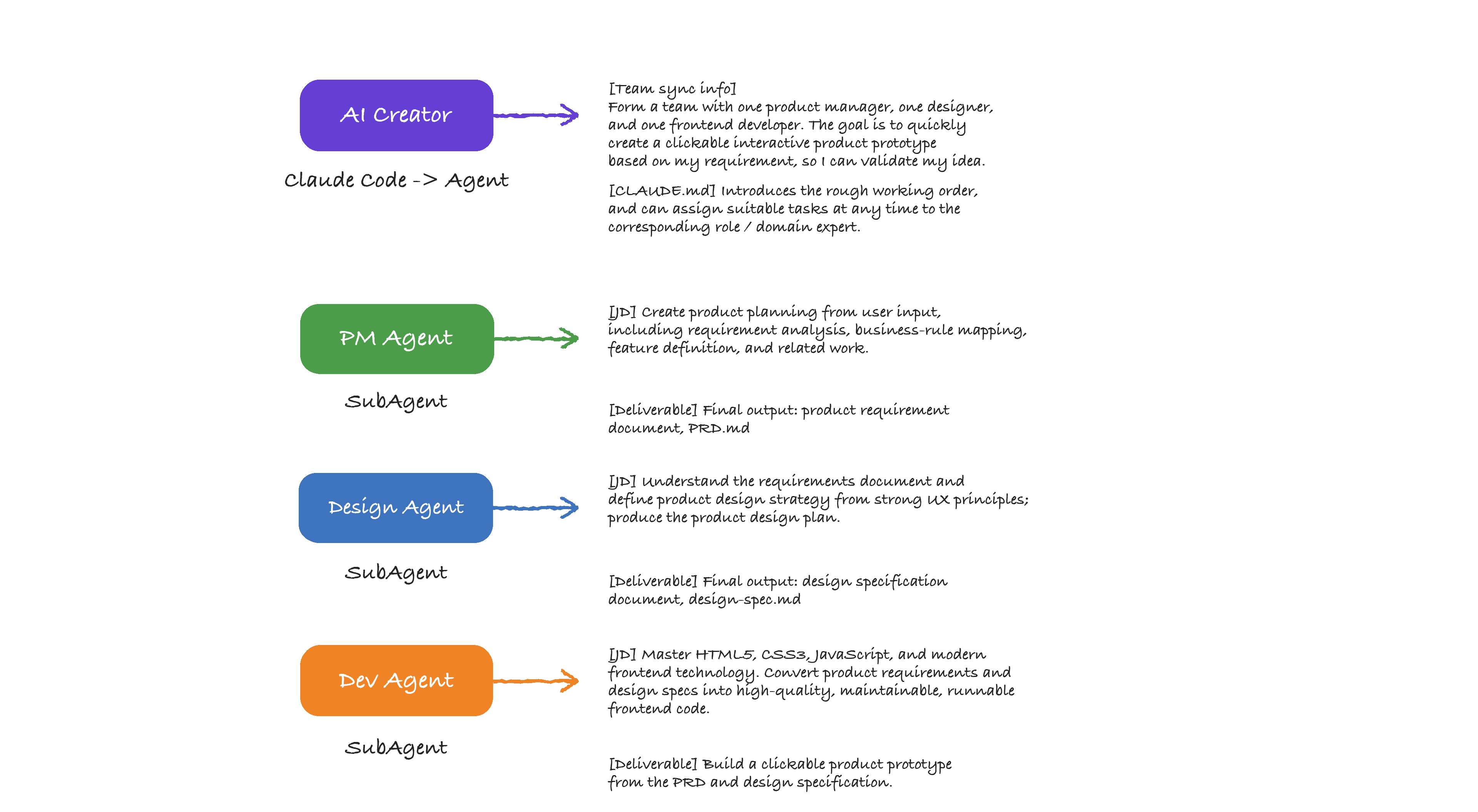
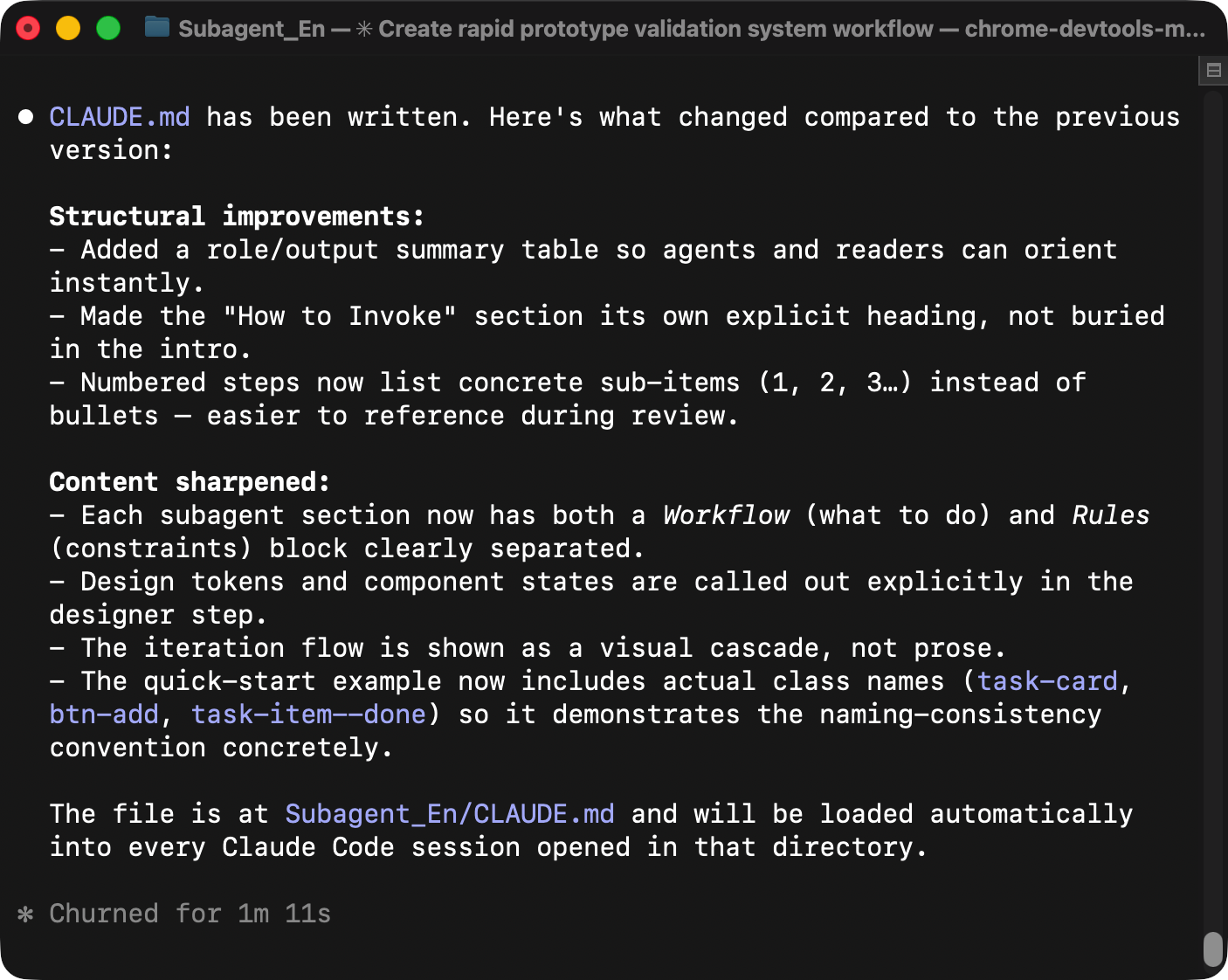
3. Create CLAUDE.md as Project Memory
A CLAUDE.md file acts as the project memory — Claude Code reads it before every action, so the core requirements stay available throughout the workflow regardless of how long the conversation gets.
Claude Code memory documentation
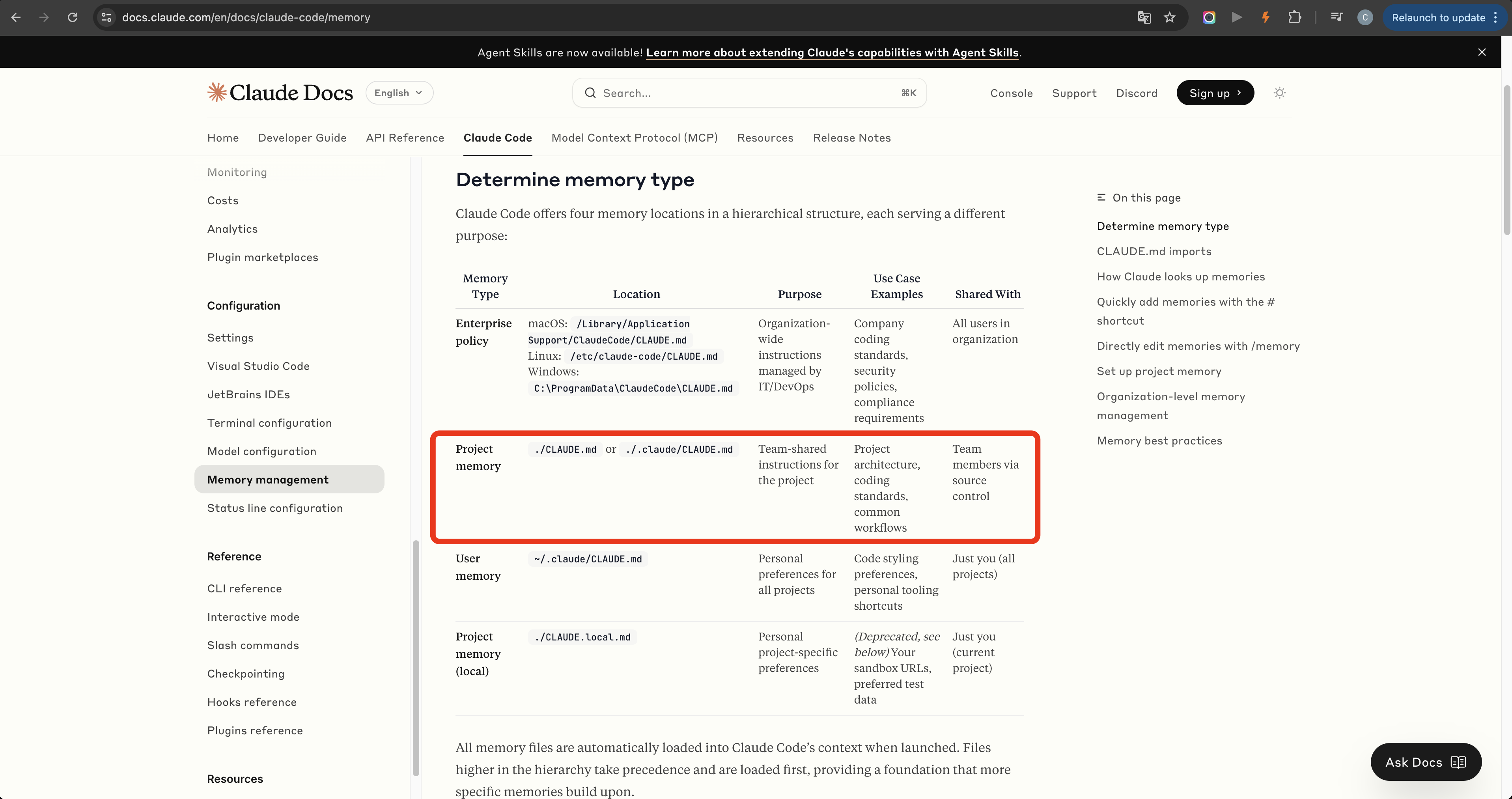
The file should include:
- The project goal: use three Subagents to quickly build an interactive product prototype.
- The team composition: product manager, designer, and frontend developer.
- The working order: PM → designer → developer.
- The invocation method: type
@SubagentNameto trigger the corresponding role. - The collaboration rules: naming consistency, document sharing, and other constraints.
You can ask Claude Code to generate this file directly from your requirements.
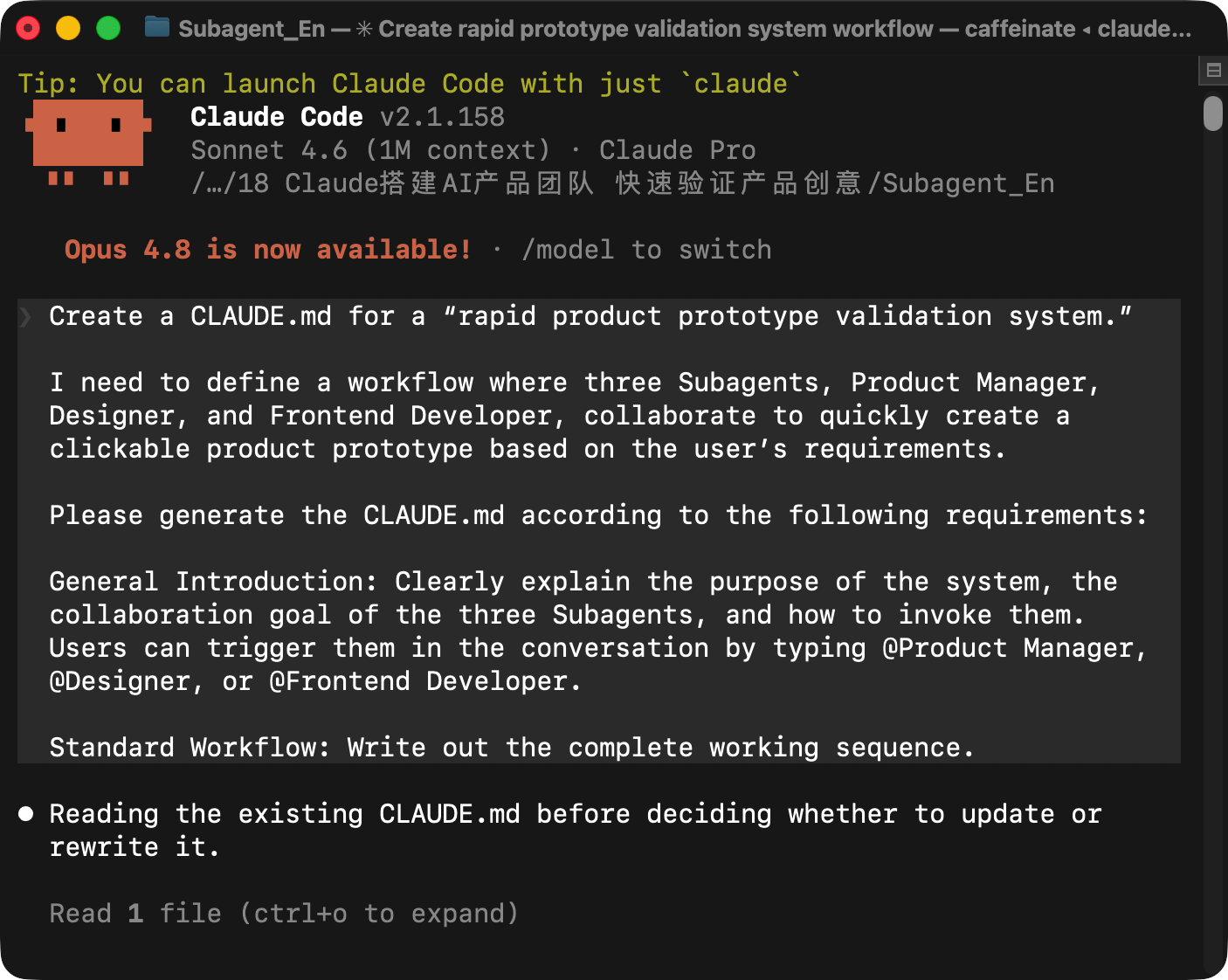
4. Define Subagents
The core work in this step is writing a precise system prompt for each role — that's what gives each Subagent its identity, its scope, and what it's expected to produce.
Product Manager Subagent
Invoke this role when a product idea needs to become a structured requirements document, or when functionality needs to be analyzed, planned, or revised.
The product manager Subagent should behave like a senior PM. Its goal is to turn a user idea into a clear and executable PRD.md that gives the designer and frontend developer a reliable source of truth.
Core responsibilities:
- Understand and break down the user requirement, including business rules, target users, user profiles, usage scenarios, and product goals.
- Define product functions and priority levels based on user value and business value.
- Create a consistent naming system for pages, components, and modules, and require downstream roles to use those names exactly.
- Output a complete and structured
PRD.md.
The workflow should force clarification instead of guessing. If the user has not provided enough information, the PM Subagent should ask about target platform, core use case, visual preference, technical constraints, timeline, and resource constraints.
The PRD should include:
- Product background, product goals, and the problems being solved.
- Target platform and technical constraints, such as mobile web, desktop web, iOS, Android, safe areas, responsive breakpoints, browser support, and performance targets.
- User profiles and usage scenarios.
- Feature definitions with P0, P1, and P2 priorities.
- Mandatory page and component names, including page identifiers, class names, module names, and state class names.
- Page structure, user flows, edge cases, and acceptance checks.
- A handoff note telling the designer and developer to preserve the naming exactly.
Designer Subagent
Invoke this role once the PRD is ready. The designer reads it, defines the visual and interaction direction, and produces a spec the developer can implement directly.
The designer should focus on:
- Translating product goals into page structure and interaction patterns.
- Defining the visual style, including color, typography, spacing, corner radius, shadows, icon style, and layout rules.
- Designing reusable components and their states.
- Keeping component names exactly aligned with the PRD.
- Providing implementation-ready details, including dimensions, spacing, responsive behavior, and interaction states.
The design specification should include:
- Overall design direction and style keywords.
- Color system with exact values.
- Typography system with font sizes, weights, line heights, and usage rules.
- Layout grid, page structure, spacing scale, and responsive behavior.
- Component specifications for navigation, lists, cards, buttons, inputs, empty states, progress indicators, and task items.
- Interaction states such as default, hover, active, disabled, completed, loading, and empty.
- A design QA checklist that the frontend developer can use after implementation.
Frontend Developer Subagent
Invoke this role last, after both the PRD and design specification are in place. The developer reads both documents and turns them into a runnable prototype.
The developer should behave like a senior frontend engineer. It should read the PRD and design specification first, then implement the product with clean, maintainable code.
Core responsibilities:
- Build the required pages and user flows from the PRD.
- Follow the design specification exactly.
- Preserve all names from the PRD and design spec, including page names, class names, module names, and state names.
- Keep visual styles centralized in CSS instead of scattering inline styles.
- Implement interactions such as adding tasks, marking tasks complete, showing progress, and handling empty states.
- Use semantic HTML, clear CSS structure, and appropriate JavaScript.
- Add useful comments only for important logic.
- Run a self-check against naming, visual consistency, interaction behavior, responsive behavior, resource validity, code quality, and feature completeness.
The developer handoff should include:
- The implemented file structure.
- The main HTML, CSS, and JavaScript files.
- A README that explains the project, tech stack, file structure, implemented features, known limitations, and run instructions.
- A clear note for any feature that could not be implemented or required a tradeoff.
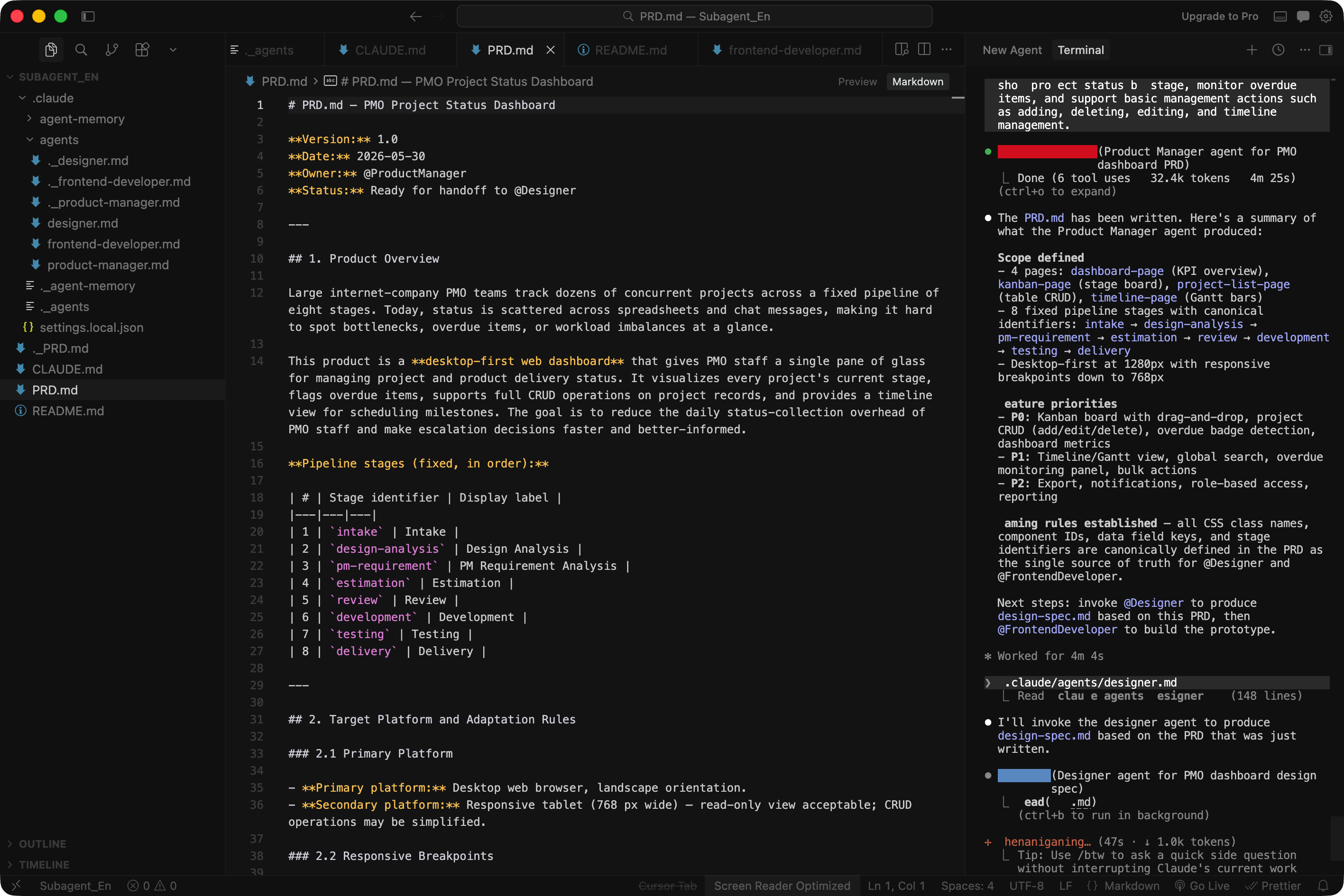
After all Subagents are configured in Cursor, invoke them in sequence and let Claude Code coordinate the work.
5. Retrospective
Start With The Official Documentation
Before building your own setup, start with the official Claude Code Subagents guide — it's the most reliable source for understanding what Subagents can and can't do.
Subagents Are Mainly About Managing AI Memory
AI can forget or confuse information in long conversations. Subagents reduce this problem by giving each role its own context space, which makes complex projects easier to control.
Consistent Naming Is The Foundation Of Collaboration
All three roles must use the same component names. If you say “bottom navigation” in the PRD, that exact term needs to carry through to the design spec and the code — no exceptions. Put this rule directly in every prompt.
Simple Tasks Do Not Need Subagents
Subagents are useful for complex projects, repeated iteration, and workflows that have become SOPs. For simple requests, quick demos, or small single-page prototypes, one strong prompt is usually enough.
Watch Token Usage
Subagents can consume a lot of tokens. A complex project may use a significant portion of your monthly usage. Estimate the complexity upfront, define the prompts carefully, and split the work into stages only when it actually makes sense.
Fix Problems At The Source
When the result isn't right, don't patch the code — fix the prompt and regenerate. Prompts are the foundation. If the foundation is off, every downstream fix is just fighting the same problem in a different place.