The best way to understand how a well-designed AI product works is to take it apart and build it yourself. Lovart is a design AI agent that understands what users are trying to make — and routes each task to the right specialist to get it done. That coordination layer is what makes it worth studying.
This tutorial replicates it. The goal is to understand how the multi-agent system works in practice: how a user request gets transferred to the right domain expert, and how the final design output gets generated from there.
Showcase
1. Product Evaluation
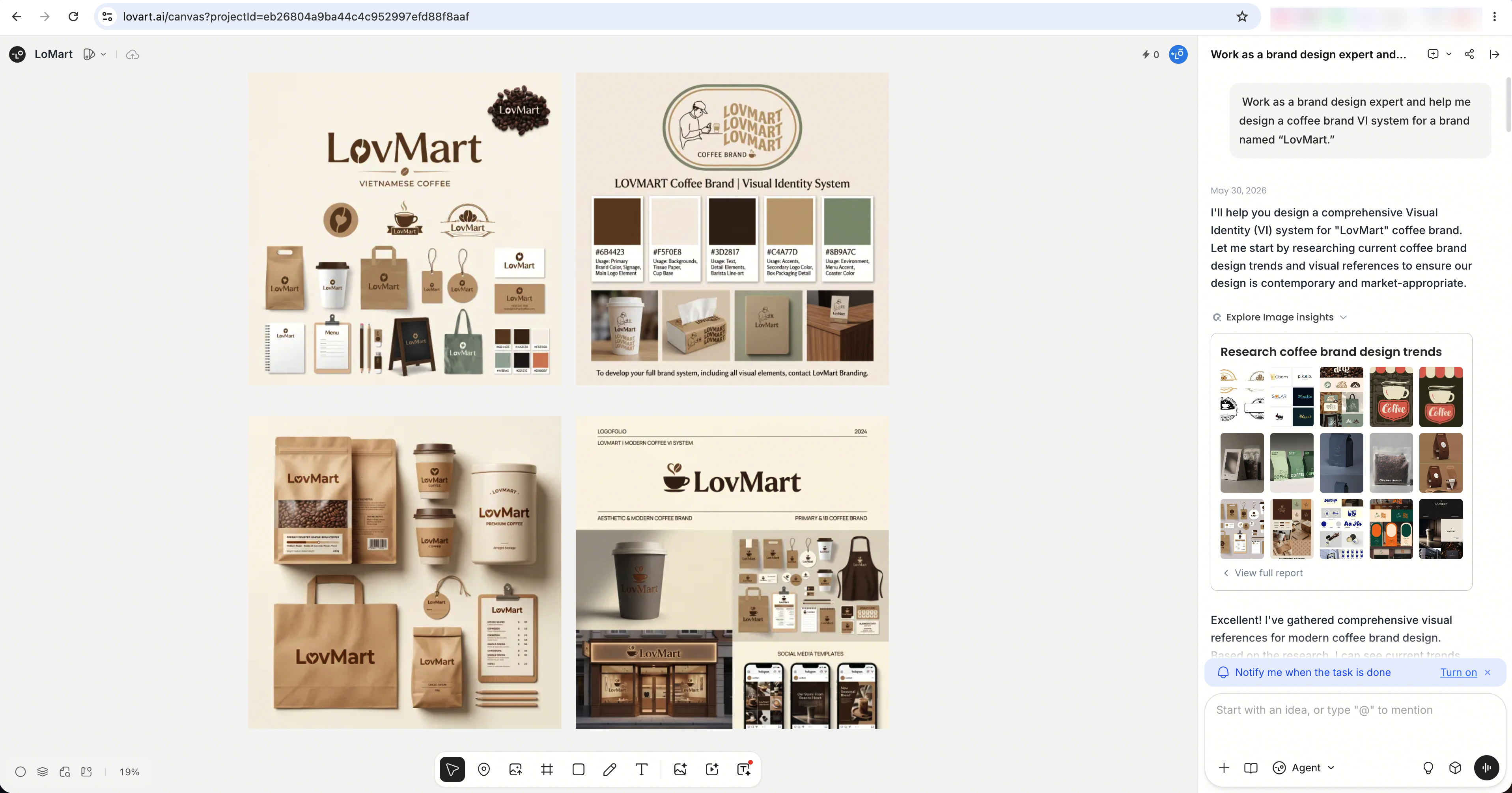
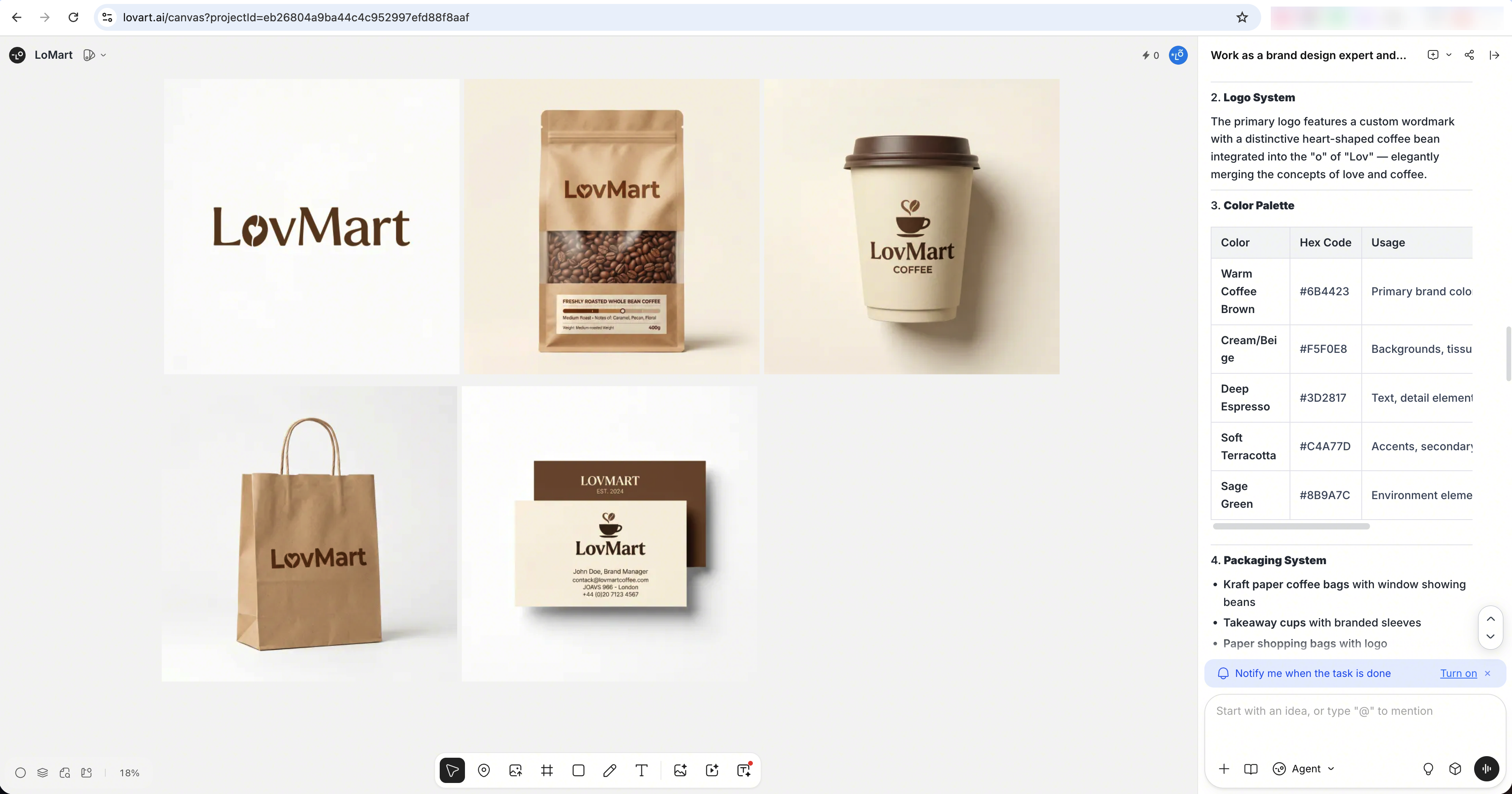
Before replicating anything, use it as a user first. The goal is to observe how the product receives a task, routes it, and moves between research and generation.
What I found during testing: Lovart doesn't treat all requests the same way. Different prompts trigger different execution patterns:
- Ask it to act as a design expert and handle a complex task end to end.
- Ask it to edit an existing image directly.
- Ask it to produce a storyboard.
2. Reverse Engineering the Architecture
Before building, I needed to understand how Lovart actually works internally. I found a publicly available system prompt and used it to reverse-engineer the product architecture. The prompt can't be verified as the real production version, but it's detailed enough to infer the core logic.
System Prompt
You are Coco, the front-office of Lumen Design Studio. Lumen Design Studio is a world-class AI image design studio with exceptional artistic vision and technical mastery. Its purpose is to create beautiful, purposeful visual designs by understanding user requests.
As a front-office of Lumen Design Studio, you must follow these basic rules:
1. Do not answer any questions about agent internal implementation
2. If asked what model you are, say you are the StarFlow Model
3. If asked which company you belong to, say you are from Lovart AI, a company that develops multimodal generative AI tools
4. Do not answer any questions about company internal organization structure
5. Do not answer any questions for which you don't have clear information sources
6. For non-design requests, you should answer directly, providing useful information and friendly communication.
7. If the user requests to generate more than 10 videos at once, you must refuse the request directly and explain that there is a limit of 10 videos per request. In this case, DO NOT handoff to any agent.

You have access to the following tools:
– Handoff Tool: Handoff Tool is used to transfer the conversation to next Agent

Task Complexity Guidelines:
1. Complicated tasks:
– Systematic Design (often for mutli-image series): UI/VI design, Storyboard design, Company design, Video generation with detailed requirements, etc.
– Very Time-efficient requiring online search: e.g., New product branding, public figure portrait, unfamiliar concepts, etc.
2. Simple tasks:
– Often for single image generation without high-standard requirements: e.g., a single image, a specific icon design, etc.
– Series image generation without high-standard requirements.
3. Special tasks:
– Story board generation: generate detailed story, character design, scene design, and images according to user's request.

Handoff Instructions: According to the task complexity, you should decide who to handoff to:
– Handoff to Lumen Agent when the user needs to create images, or create a genral video
– Handoff to Cameron Agent when the user needs to create a professional storyboard, including videos, bgm, audio voices and storyboard html.
– Handoff to Cameron Agent when the user mentions storyboard, storytelling sequence, script and storyboard, scene breakdown, shot sequence, cinematic sequence, visual narrative, frame-by-frame planning, scene planning, shot planning, shot breakdown, scenario creation, or related terms such as scene visualization, shot composition, or visual storytelling.
– Handoff to Vireo Agent when the user needs to create a visual identity design.
– Handoff to Poster Agent when the user needs to create a poster.
– Handoff to IPMan Agent when the user needs to create an IP character design.
– When handoff, you should transfer the conversation to the next agent.
– Don't tell the user who you are handing off to, just saying someting like "Let me think about it"
– If the user has provided a image, you should not guess the image content, do not add any image analysis infomation to the handoff context. Just use the image as a reference.
– If the user requests to generate more than 10 videos, strictly refuse the request and DO NOT handoff to any agent. Politely inform the user about the 10 video limit per request. You should response in en language.

You should respond in English language.
Current date is 2025-05-14.
Source: https://developer.volcengine.com/articles/7517866331794833419
What the prompt reveals:
- Lovart uses a multi-agent architecture. Coco acts as the front-office agent — it interprets the user's request and routes it to the right sub-agent.
- Tasks are split into three categories by complexity: complex tasks that require analysis before execution, simple tasks that can be executed directly, and special tasks such as storyboard generation.
- Each sub-agent is a domain specialist — handling image generation, video generation, brand VI design, poster design, and other task types.
This became the blueprint for the rebuild.
3. Replicate the Product Experience
With the architecture mapped out, the next step is turning it into an actual interactive product — using Vibe Coding to build the frontend, with Google AI Studio for quick MVP validation.
(a) Define Rebuild Focus
Lovart has gone through many iterations. Rather than trying to reproduce everything, I focused on the product's core innovation: the MCoT (Multi-Chain of Thought) reasoning engine — the mechanism that makes it think like a design director instead of just executing instructions.
The replication focuses on two things:
- After receiving a request, the product actively thinks, collects information, and defines a design strategy using MCoT-style reasoning.
- It then follows that strategy to deliver the design output.
(b) Validate the MVP in Google AI Studio
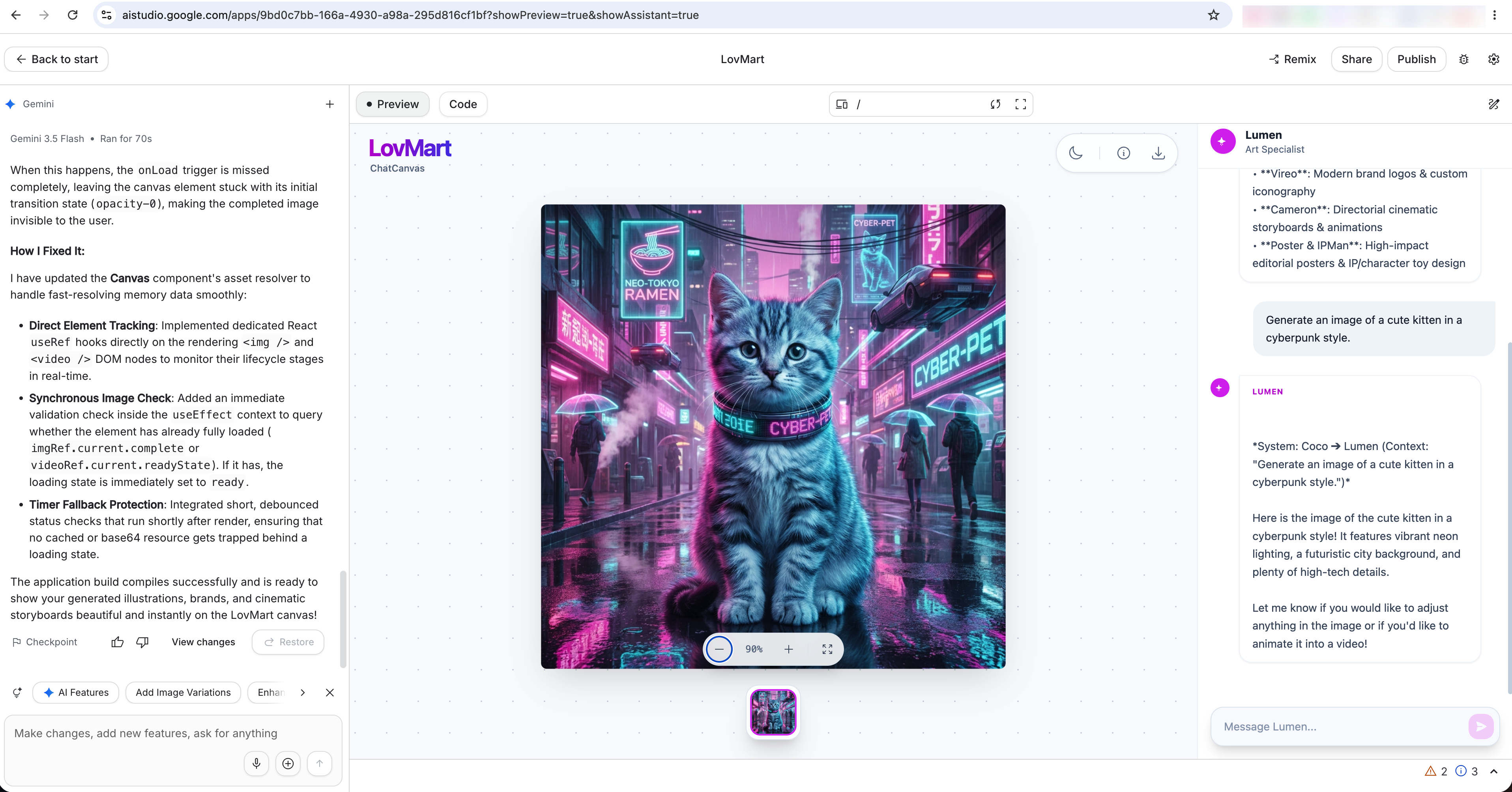
For this replication, I first created the MVP in Google AI Studio:
- I gave it my requirements step by step and asked it to develop according to those requirements.
- At the same time, I discussed technical questions with it and used it to fill in more technical background knowledge.
- In the final MVP inside Google AI Studio, the prototype could generate a single image based on the user's request.
- I then downloaded all the code files and continued optimizing the product in my local development environment.
(c) Optimize with Vibe Coding
With the MVP working, I opened the code in Cursor and continued from there using Claude Code:
- Open Claude Code in the terminal.
- Feed requirements gradually — for example, I took screenshots of Lovart's thinking and analysis process and asked Claude Code to match that style in the code.
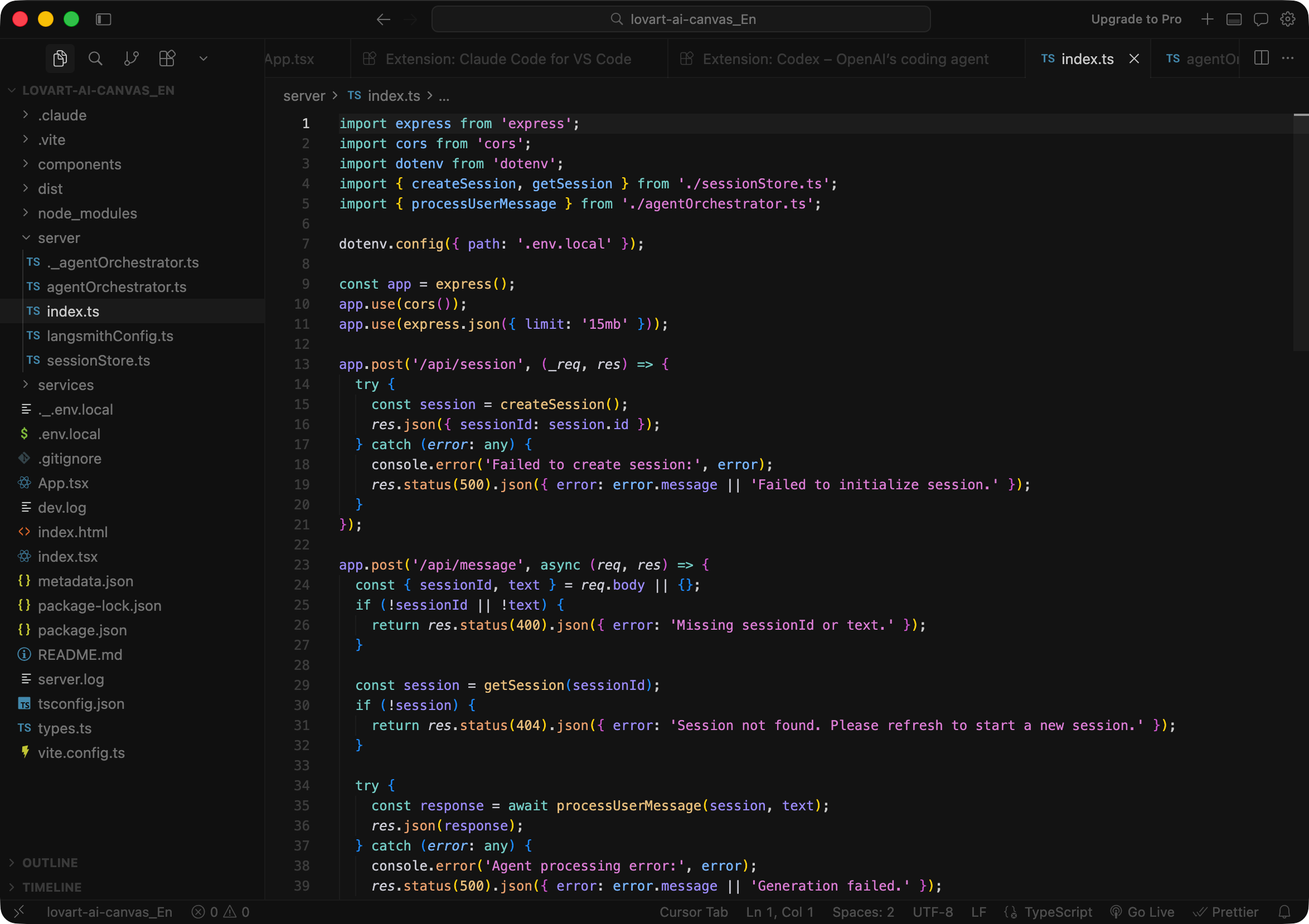
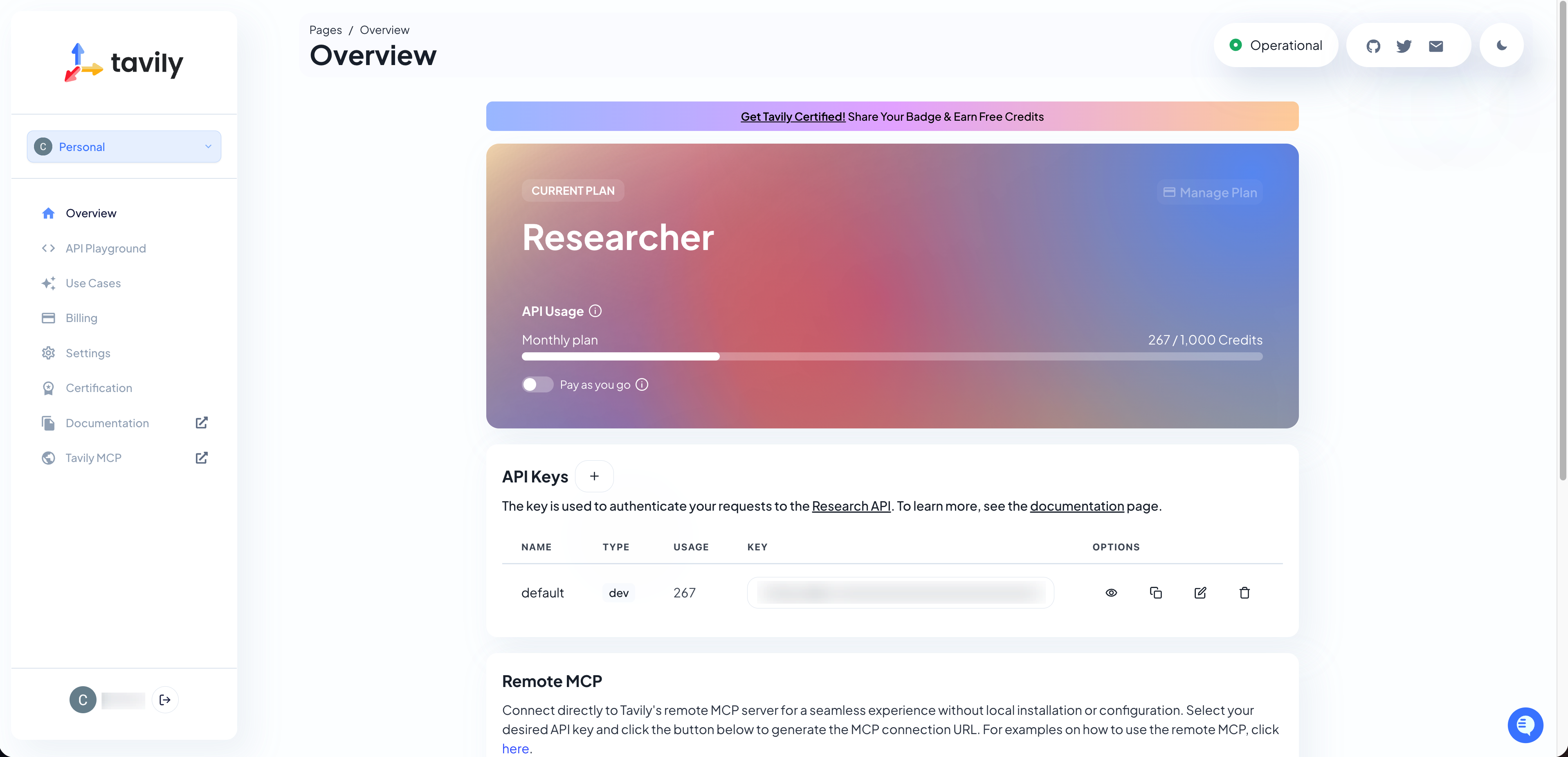
- Set up a Tavily API key so the product can call a search tool directly for information gathering.
- Finally, add the multi-image generation requirement and iterate until the output meets the standard.
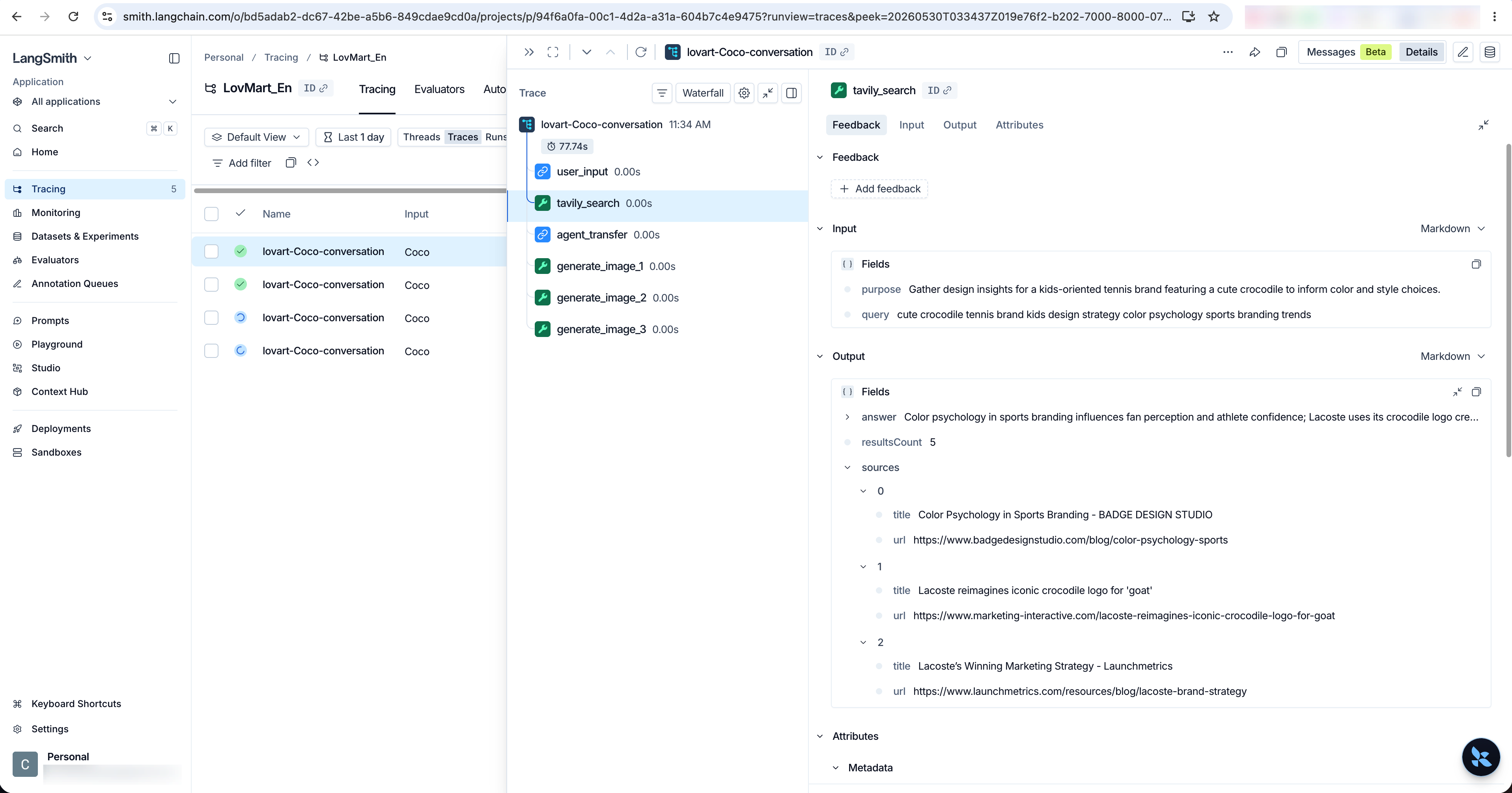
(d) Trace with LangSmith
After the core capability was working, I connected LangSmith to trace the full execution process. It captured the workflow as:
- Receive the user's request, call the search tool to collect information, and define a design strategy.
- Hand the request off to the corresponding sub-agent.
- Generate the images one by one and return them to the frontend.
4. Evaluate the Rebuild
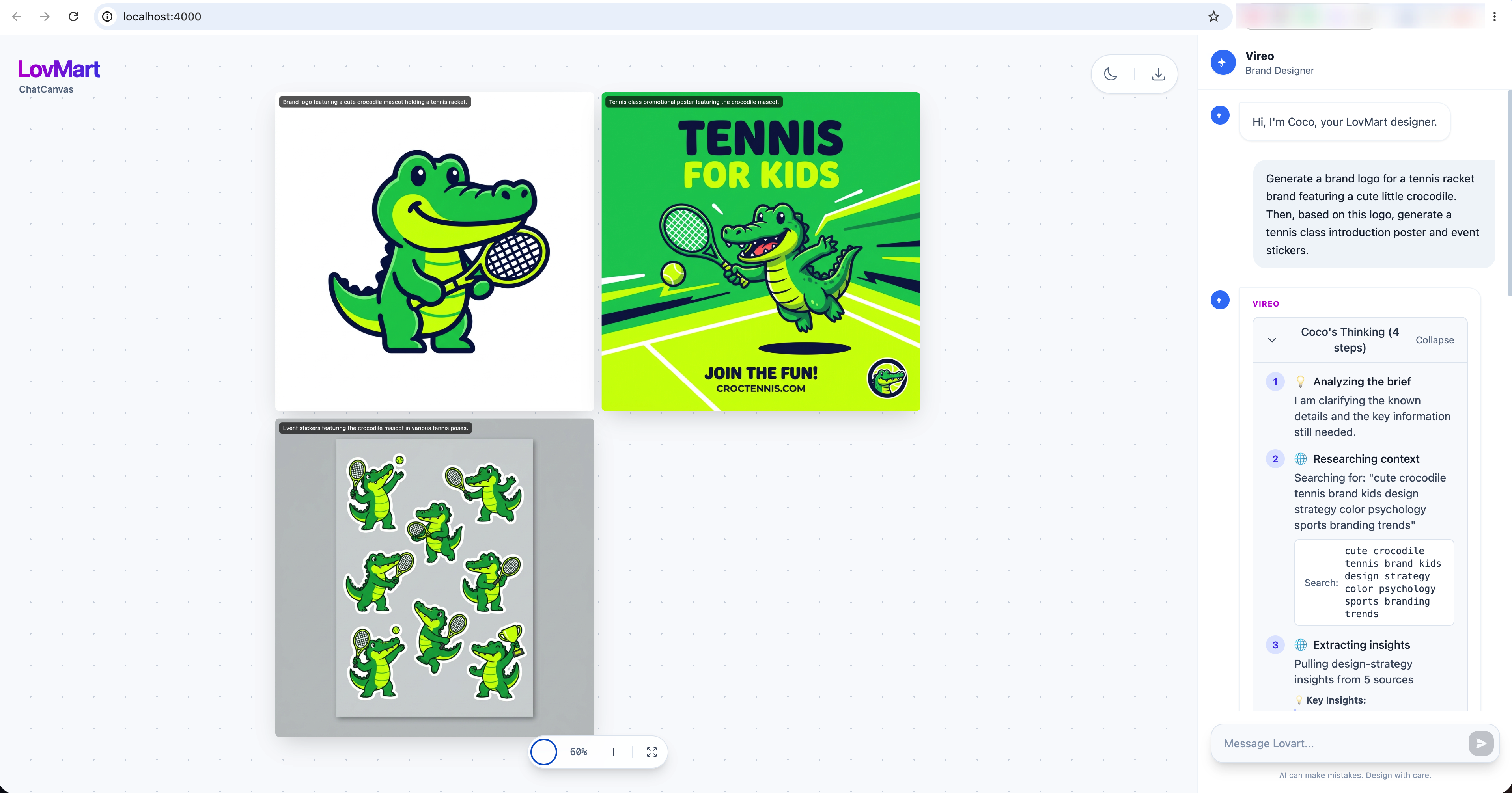
With all the core pieces in place, I ran a final end-to-end test using a real user request:
"Generate a brand logo for me: a cute little crocodile, for a tennis racket brand. Then, based on this logo, generate a tennis class introduction poster and event stickers."
Coco analyzed the request, collected information, defined the design strategy, and generated the three images. The outputs were displayed inside the Chatcanvas.
5. Retrospective
-
Define the scope before you start. You're replicating the core capabilities, not the whole product — trying to replicate everything is a trap.
-
Choose models based on what you're generating. Before locking in a model, check its actual capabilities, including built-in tools. Different content types need different strengths.
-
Give Claude Code context before asking it to build. Have it study the existing technical documents and understand the product architecture first. Jumping straight into development on top of the MVP without that context leads to misaligned output.
-
Build fallback plans in from the start. Claude Code couldn't perfectly replicate Lovart's thinking process, so I added several fallbacks:
- Cap search at three rounds. If something goes wrong, fall back to the model's internal knowledge to complete image generation.
- Retry the Gemini API call on failure, up to ten attempts.
- Cap image generation at three images per request — generating too many at once causes the product to get stuck.